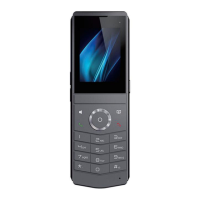
DECT W710P (W710D+W610D) User Manual
following,
OpenVPN Configuration file: client.ovpn
CA Root Certification:ca.crt
Client Certification:client.crt
Client Key:client.key
User then upload these files to the device in the web page [Network] >> [VPN],
select OpenVPN Files.
Then user should check “Enable VPN” and select “OpenVPN” in VPN Mode and
click “Apply” to enable OpenVPN connection.
Same as L2TP connection, the connection will be established every time when
system rebooted until user disable it manually.
13.5 VLAN
VLAN (Virtual Local Area Network) technology can divide a LAN into multiple logical
LANs - VLANs, each VLAN is a broadcast domain, and broadcast packets are limited
within one VLAN.
W710D supports obtaining VLAN IDs through LLDP, CDP, DHCP, and manual settings.
LLDP(Link Layer Discovery Protocol)
Visit W710D webpage>>[Network]>>[Advanced]>>Link layer discovery protocol,
configure LLDP parameters:
Enable LLDP: Enable LLDP protocol functionality.
Packet Interval: LLDP message sent periodic interval.
Enable Learning Function: Enable LLDP self-learning VLAN configuration
function
CDP(Cisco Discovery Protocol)
Visit W710D webpage>>[Network]>>[Advanced]>>Cisco Discovery Protocol,
configure CDP parameters:
Enable CDP: Enable CDP protocol functionality.
Packet Interval: CDP message sent periodic interval.



 To Next Page