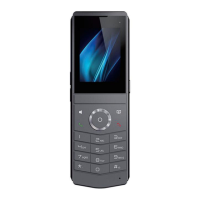
DECT W710P (W710D+W610D) User Manual
11.2 Screen Setting
Users can edit screen Parameters by accessing the function menu keys [Menu]>>
[Basic]>> [Screen]. After editing, click [OK] to save.
11.2.1
Backlight
Set the Backlight Active Level from 1 to 16 when in use, and switch the brightness
level between [<] or [>].
Set the Backlight Inactive Level from 0 to 16 in energy-saving mode, and switch the
brightness level between [<] or [>].
Set the Backlight Time, the value is 1 minute by default, which can be turned off or
selected as 15 S/ 30 S/ 1 min/ 2 min/ 5 min/ 10 min/ 30 min/ 1 h/ 2h/ 3h/ 6h/ 15h or
customized.
11.2.2
Screensaver
Access [Menu]>> [Basic]>> [Screen], edit the [Screensaver] Parameters, press the
[Left]/[Right] keys to enable/diable the screen saver, set the timeout time, default to 15
seconds, and press the [OK] key to save after completion
11.2.3
Sleep
Entering sleep mode
When there is no operation on W610D, it defaults to entering sleep mode for 30
seconds.
Press the red on-hook key in standby mode to enter sleep mode.
Exit sleep mode
The device will automatically exit sleep mode upon receiving notifications such as
incoming calls.
Press any key on the device to exit sleep mode.
Sleep Mode Settings
Access the device [Menu]>> [Basic]>> [Screen], edit the [Time Out To Sleep] item,



 To Next Page