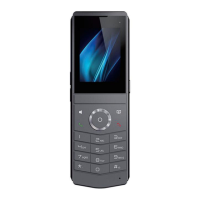
DECT W710P (W710D+W610D) User Manual
13 W710D Network Settings
13.1 Ethernet Settings
IPv4 Settings
There are two modes to choose from for IPv4 network types: DHCP and Static IP.
When the network type is set to DHCP, the phone is issued a network IP address by
the DHCP server (router).
DNS Server Configured by DHCP: enabled by default, for domain name
resolution.
Time Synchronized Via DHCP: disabled by default. It controls whether using the
DHCP server time.
When the network is set to Static IP, the IP address needs to be manually set.
IP address: Fill in the IP address you want to set.
Subnet Mask: Set subnet mask.
Default Gateway: used to achieve network interconnection and can be filled in
according to one's own needs.
Primary DNS server: The IP address of the primary DNS server
Secondary DNS server: The IP address of the backup DNS server.
IPv6 Settings
There are two types of IPv6 network modes available: DHCP and Static IP.
When the network type is set to DHCP, the phone is issued a network IP address by
the DHCP server (router).
DNS Server Configured by DHCPv6: enabled by default, for domain name
resolution.
Time Synchronized Via DHCPv6: disabled by default. It controls whether using
the DHCP server time.
When the network is set to Static IP, the IP address needs to be manually set.
IP address: Fill in the IPv6 address you want to set.
Prefix Length: The number of IPv6 prefix bits, where the prefix represents the
network bit, similar to the subnet mask of IPv4.



 To Next Page