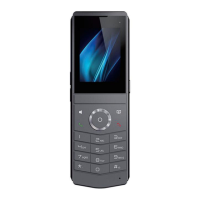
DECT W710P (W710D+W610D) User Manual
Configuration parameter description:
The action is when the rule for number configuration is triggered.
The supported types are:
Record: When the rule is triggered, the phone automatically
activates the recording function.
Mute: The phone automatically mutes when the rule is triggered.
Answer: When the rule is triggered, the phone automatically
answers incoming calls.
The call number corresponding to each Action Plan; Supports the
same number expression as DialPlan
The types of time periods triggered by rule execution, including:
Early: Trigger execution before call establishment.
Connected: Trigger execution after call establishment.
The selected rule corresponds to the matching SIP line.
Behavior processing method for corresponding configuration rules:
Both: trigger both incoming and outgoing calls simultaneously;
Deactivation: Triggered upon outbound call:
Incoming call: triggered when an internal call is received.
10.3 Maintenance
10.3.1 W710D Configuration File
Users with administrator privileges can view, export, or import device configurations on
the W710D webpage>>[System]>>[Configurations] page, and can also restore the
device to its factory settings.
Import/Export Configurations
Visit the W710D webpage>>[System]>>[Configurations]>>[Export Configurations],
select the corresponding format, click download to export the configuration file in the
corresponding format;



 To Next Page