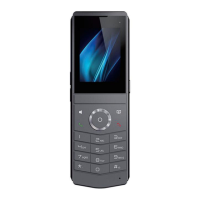
DECT W710P (W710D+W610D) User Manual
7.2 Intercom
After enabling the intercom function, the device can auto answer incoming calls in
intercom mode.
7.2.1
Make Intercom Call
7.2.1.1 Regular intercom
To use the intercom function, it is necessary to set the function key to the Memory -
Intercom key in advance.
The function key can be set through the terminal device or configured through the
W710D webpage management function key.
Configure function keys by administrator in W710D Manager
According to the steps in section 5.4 W710D Configuration Management,
access the created configuration file>>[Function Keys], configure the DSSKEY or
Side Keys, with the key type being Memory Key - Intercom, set the key values and
save them, assign the configuration to the corresponding device and update it.
Set intercom function keys
In standby mode, press Softkey - Dsskey/navigation key - left/navigation key -
right, or the Side Key on the device right, select the function key for editing, set the
function key type to Memory Key - Intercom, set the key value and save it.
Make intercom calls through function keys
Press the intercom function key to make a intercom call.
7.2.1.2 PTT Intercom
Set PTT intercom function key
To use the PTT intercom function, it is necessary to set the function key to PTT -
intercom key in advance. The function key can be set through the terminal device or
configured through the W710D webpage management function key.
Configure function keys by administrator in W710D Manager
According to the steps in section 5.4 W710D Configuration Management,



 To Next Page