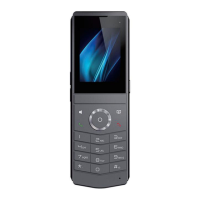
DECT W710P (W710D+W610D) User Manual
8.4 Blocked List ....................................................................................................................52
8.5 Allowed List....................................................................................................................52
9 Call history ................................................................................................................................. 53
10 Advanced Features ................................................................................................................54
10.1 Time Plan..................................................................................................................... 54
10.1.1 W710D Time Plan..............................................................................................54
10.1.2 W610D Time Plan..............................................................................................55
10.2 Action Plan ...................................................................................................................55
10.3 Maintenance................................................................................................................ 56
10.3.1 W710D Configuration File................................................................................56
10.3.2 Upgrade...............................................................................................................57
10.3.3 Auto Provision .................................................................................................... 61
11 W610D preference settings ..................................................................................................64
11.1 Time Setting.................................................................................................................64
11.2 Screen Setting.............................................................................................................65
11.2.1 Backlight..............................................................................................................65
11.2.2 Screensaver........................................................................................................65
11.2.3 Sleep.................................................................................................................... 65
11.3 Audio Setting............................................................................................................... 66
11.3.1 Ringing Tone.......................................................................................................66
11.3.2 Voice Volume Setting ........................................................................................ 66
11.3.3 Alert Info Setting .................................................................................................66
11.3.4 Tone Settings......................................................................................................67
11.3.5 Noise Reduction .................................................................................................67
11.4 Greeting Words settings ............................................................................................68
12 Function Keys ......................................................................................................................... 69
13 W710D Network Settings ......................................................................................................73
13.1 Ethernet Settings ........................................................................................................ 73
13.2 Network Mode............................................................................................................. 74
13.3 Web Server Type Settings........................................................................................ 74
13.4 VPN...............................................................................................................................75



 To Next Page