EasyManua.ls Logo

Fanvil X4U - User Manual

Fanvil X4U
11 pages
Print Icon
To Next Page IconTo Next Page
Loading...
Home
PBXware
SERVERware
TELCOware
SIPmon
SIPProt
Desktop & Mobile
BRM
UADs
Appliances
EOL
From Bicom Systems Wiki
Contents
1 Introduction
2 Video Tutorial
3 Requirements
3.1 Identifying Phone Model
3.2 Phone Firmware
3.3 DHCP Server
3.4 PBXware Version
4 Installation
4.1 Power Adapter
4.2 Power over Ethernet (PoE)
4.3 Find the Phone's IP Address
4.4 Reset to factory settings
5 Registering Phone
5.1 Manual Configuration
5.2 Auto Provisioning
6 Configure BLF
6.1 Extension Settings
6.2 Phone Settings
Introduction

Other manuals for Fanvil X4U

Question and Answer IconNeed help?

Do you have a question about the Fanvil X4U and is the answer not in the manual?

Summary

Introduction

Video Tutorial

Requirements

Identifying Phone Model

Users must identify the specific Fanvil phone model for correct configuration and installation procedures.

Phone Firmware

Ensure the phone is loaded with the correct firmware version for optimal performance and compatibility.

DHCP Server

PBXware Version

Installation

Power Adapter

Connects the phone to a power source via an AC adapter and to the network.

Power over Ethernet (PoE)

Powers the phone and provides network connectivity using a single Ethernet cable.

Find the Phones IP Address

Instructions on how to locate the phone's IP address displayed on its screen.

Reset to Factory Settings

Steps to restore the phone to its original factory default configuration and settings.

Registering Phone

Manual Configuration

Guide for manually configuring the phone's settings for registration.

UAD Settings

Configure Unified Access Device settings for Fanvil phones in PBXware.

Creating an Extension

Steps to create a new extension within PBXware for the phone.

Auto Provisioning

UAD Settings

Configure Unified Access Device settings for auto-provisioning Fanvil phones.

Creating an Extension

Steps to create a new extension for auto-provisioning with specific phone details.

Registering Phone (TFTP & HTTP)

Register the phone using TFTP and HTTP protocols for automatic configuration.

Configure BLF

Extension Settings

Configure extension settings within PBXware to enable BLF functionality.

Phone Settings

Configure the phone's DSS keys to display BLF status for extensions.

Overview

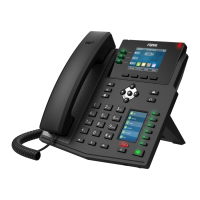
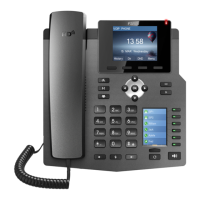
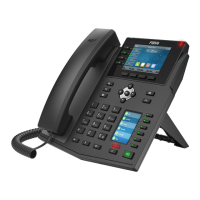
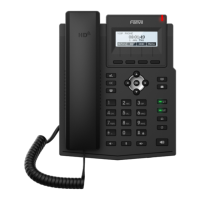
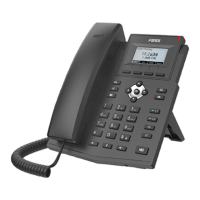
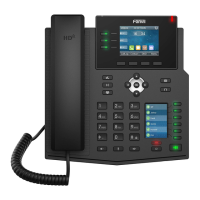
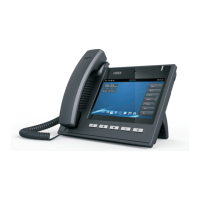
The Fanvil X4U is an IP phone designed for business communication, offering a range of features for efficient call handling and management. It is primarily used to make and receive calls over an internet connection, integrating with PBXware systems for advanced telephony functionalities.

Function Description

The Fanvil X4U serves as a primary communication endpoint in a Voice over IP (VoIP) environment. Its core function is to facilitate voice calls, but it also supports various supplementary services that enhance productivity and collaboration. The phone connects to a network, typically via an Ethernet cable, and registers with a PBXware server to enable its calling capabilities. This registration process can be done either manually or through auto-provisioning, depending on the network setup and administrative preferences.

The device is designed to work seamlessly with PBXware, a popular IP PBX system. This integration allows users to leverage features such as extensions, call transfers, conferencing, and Busy Lamp Field (BLF) monitoring. BLF, for instance, provides visual indicators of the status of other extensions (e.g., busy, ringing, available), which is particularly useful in environments where quick access to colleague availability is crucial.

The phone's operation relies on a configured DHCP server to obtain an IP address automatically, simplifying network setup. Alternatively, a static IP address can be assigned. Once connected and registered, the phone becomes an active part of the communication network, capable of initiating and receiving calls, managing contacts, and accessing other PBXware-specific features.

Usage Features

The Fanvil X4U offers a user-friendly interface with a display and physical buttons for navigation and call control. Users can dial numbers, answer incoming calls, and manage ongoing conversations directly from the phone. The device supports multiple lines, allowing users to handle several calls simultaneously or switch between active calls.

Key usage features include:

  • Call Handling: Basic functions like making, receiving, holding, transferring, and ending calls are readily available. The phone's interface provides clear visual cues for call status.
  • Extensions: Users are assigned extensions within the PBXware system, enabling internal calls to other users on the same system by dialing their extension number.
  • Manual Configuration: For environments requiring precise control, the phone can be manually configured through its web administration interface. This involves logging in with administrator credentials and setting parameters such as SIP account details, network settings, and feature keys. This method is suitable for individual device setups or when auto-provisioning is not desired.
  • Auto Provisioning: This feature simplifies large-scale deployments by allowing the phone to automatically retrieve its configuration from the PBXware server. Once connected to the network, the phone can be directed to a provisioning server (HTTP or TFTP) where it downloads its settings, including extension details, firmware updates, and feature configurations. This significantly reduces manual intervention and ensures consistent configurations across multiple devices.
  • Busy Lamp Field (BLF): The phone supports BLF, which allows users to monitor the status of other extensions. This is configured through both PBXware extension settings and the phone's own function key settings. By assigning a BLF key to a specific extension, users can see if that extension is idle, ringing, or on a call, and often initiate a call to that extension with a single press.
  • Directory and Contact Management: The phone likely integrates with a corporate directory or allows for local contact storage, making it easier to find and dial frequently used numbers.
  • Firmware Management: The device's firmware can be updated to introduce new features, improve performance, or address security vulnerabilities. This can be part of the auto-provisioning process or performed manually through the web interface.
  • Network Connectivity: The phone supports both traditional power adapter connections and Power over Ethernet (PoE). PoE simplifies deployment by allowing both power and data to be transmitted over a single Ethernet cable, reducing cable clutter and power outlet requirements.
  • IP Address Discovery: Users can easily find the phone's IP address directly from the device's display, which is essential for accessing its web administration interface for configuration or troubleshooting.

Maintenance Features

Maintenance of the Fanvil X4U primarily involves ensuring its software is up-to-date and its configuration is correct.

  • Firmware Updates: Regularly updating the phone's firmware is a crucial maintenance task. Firmware updates can be pushed automatically via auto-provisioning or manually initiated through the phone's web interface. Keeping the firmware current ensures optimal performance, compatibility with the PBXware system, and access to the latest features and security patches.
  • Factory Reset: If a phone experiences persistent issues, needs to be re-purposed, or requires a complete configuration overhaul, it can be reset to factory settings. This process wipes all custom configurations and returns the device to its default state, as it was when it left the factory. This is often done through the phone's web administration interface and is a common troubleshooting step. It's important to note that a factory reset should only be performed when necessary, as it requires re-configuration afterward.
  • Web Administration Interface: The phone's web administration interface serves as the central hub for advanced configuration and maintenance. Accessible via a web browser using the phone's IP address, this interface allows administrators to:
    • View device status and network information.
    • Configure SIP accounts and line settings.
    • Manage network parameters (DHCP, static IP).
    • Set up function keys, including BLF.
    • Perform firmware upgrades.
    • Initiate a factory reset.
    • Reboot the device remotely.
  • Troubleshooting: The manual provides guidance on common troubleshooting steps, such as verifying registration by dialing a test number (*123) and ensuring proper network connectivity. Understanding the PBXware version and phone firmware version is also critical for diagnosing compatibility issues.
  • Power Management: The option to use PoE simplifies power management, as it eliminates the need for individual power adapters and centralizes power delivery through the network switch. This can also aid in troubleshooting power-related issues.

In summary, the Fanvil X4U is a robust IP phone designed for integration with PBXware systems, offering comprehensive call management features, flexible configuration options (manual and auto-provisioning), and essential maintenance tools to ensure reliable and efficient communication in a business environment.

Fanvil X4U Specifications

General IconGeneral
Handset typeWired handset
Product typeIP Phone
Product colorBlack
Backlight keypadYes
Ethernet LAN interface typeGigabit Ethernet
Supported network protocolsIPv4, IPv6
Headset connectivityWireless
Ethernet LAN (RJ-45) ports2
Caller ID-
Lines quantity12 lines
Phonebook capacity- entries
Number of programmable keys30
Display diagonal2.8 \
Display resolution320 x 240 pixels
Number of handles included- pc(s)

Related product manuals