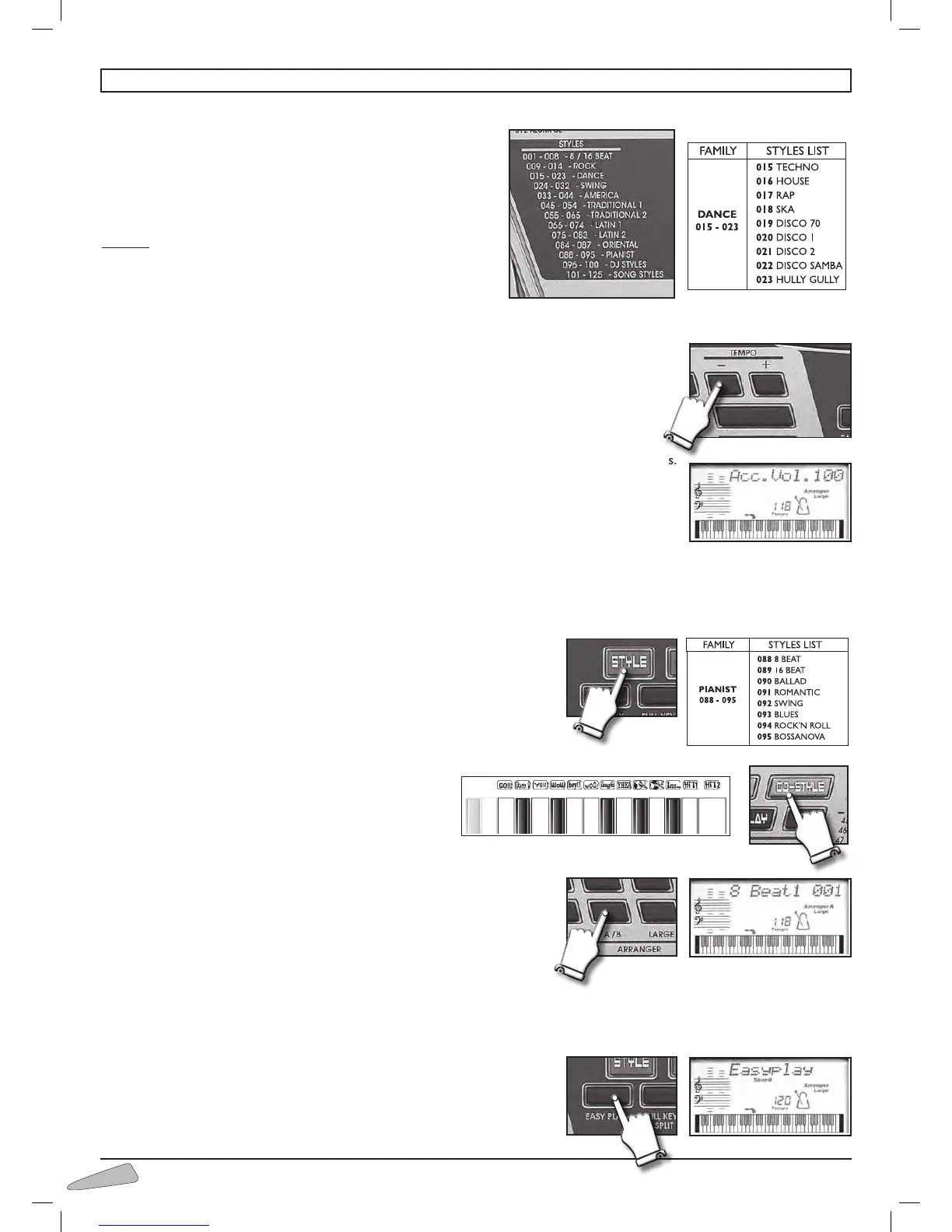
Rhythmic style selection
The keyboard has 125 rhythmic styles enriched by automatic
accompaniments and completed by drums.
They are sub-divided into 13 families (e.g. 015-023 DANCE) , see
the list on page 100.
To select them press the STYLE button and then a 3 digit figure from
the STYLES list.
Example: to select DISCO 70 rhythm, digit number 019 (0, 1, and 9).
You can also select rhythms using buttons “+ / –” of SELECT.
To start or to stop a rhythm press the START/STOP button.
Tempo
The “ + / – ” TEMPO buttons can be used to set the tempo of the rhythm or of a song.
To increase or decrease the speed of the song press the two buttons TEMPO + and TEMPO – .
By holding the button pressed down, the variation becomes continuous.
To go back to standard rhythm press buttons TEMPO + and TEMPO – together.
Accompaniment volume
To adjust the volume of the accompaniment section, use the VOLUME SECTION + / – buttons.
The display will show “
Acc. Vol.” with the value of the volume. By holding the button pressed down,
the variation becomes continuous. To restore the standard volume press together buttons VOLUME
SECTION + and VOLUME SECTION –.
Metronome icon
The metronome icon of the display shows the musical quarters and the beginning of every beat or measure.
When a rhythm is on function and you select a new style this latter starts at the end of the previous rhythm pattern.
The Pianist Styles
The PIANIST styles are automatic accompaniments created with the piano
alone.
To select them, press the STYLE button and enter a three digit number from
the PIANIST list. See the STYLES list at the end of the Instructions Manual.
Dj Style
The DJ STYLE control activates the DJ effects on the last
13 keys on the keyboard and sets a rhythmic style and a
sound adapt for a DJ. The style and sound can however be
changed and the DJ effects used in the same way.
Arranger A, B
By pressing the ARRANGER A / B control, you will be able to switch
between a basic rhythm style and one with a variation. The display shows the
selected mode by showing “Arranger A” or “Arranger B”.
Arranger Large
With the LARGE control, you can elaborate further on the arrangement of the rhythm style.
The display shows “Large”.
Easy Play
Depending on the rhythm, EASY PLAY sets the tone for the right hand, the
best tempo for the performance and splits the keyboard to play chords in the



 To Next Page