Sound selection
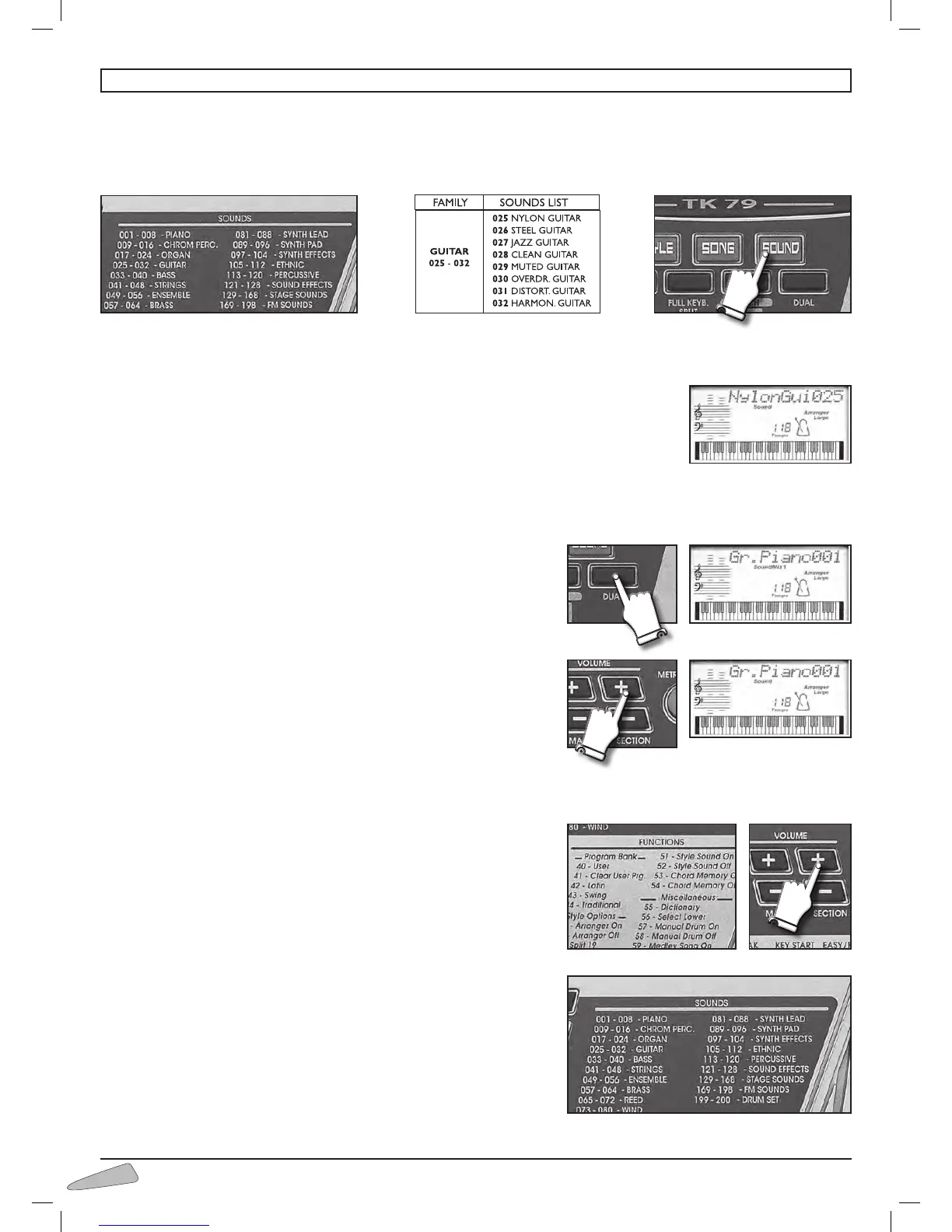
The keyboard features 200 sounds divided into 19 families (e.g. 025-032 GUITAR).
They are selected when the SOUND button is on by entering a three digit number between 001 and 200 of the SOUNDS list
you will find at the end of the Instructions Manual.
Example: for NYLON GUITAR type in number 025 (0, 2, 5 with the SELECT keyboard.)
If the display shows “Disable”, this means an incorrect number has been typed in.
Sounds can be selected also by using the SELECT “+ / –” buttons.
IMPORTANT: With some sounds you might notice a slight difference of volume or sound quality when playing
them in different areas of the keyboard. This is an inevitable consequence of multiple sampling and not a
technical problem.
Dual
With the DUAL control, you can mix two sounds and create thousands of
combinations.
To mix press DUAL; the display shows “SoundMix1”; select a sound and press
the SOUND button: the display shows “SoundMix2”; select the second sound
that will be mixed with the first one.
To select other sounds, keep using the SOUND button.
To return to just one sound, press the DUAL button again: the display shows
“Sound”.
To change the volume of the two sounds, to use the “+/–“ buttons of VOLUME
SECTION and to select the first or second sound, keep SOUND button
pressed.
The display visualises “
Snd1Vol” or “Snd2Vol”
Lower
The sounds for the ACCOMPANIMENT, when the rhythm is not playing, can be
selected by entering 56 Select Lower and the corresponding number in the
SOUNDS list.
To set the volume of the accompaniment section, use the VOLUME SECTION
+ / – buttons;
The display shows “
Lower Vol” and the value of the volume.
By keeping the button pressed, the variation will continue.
To return to the standard volume, simultaneously press the + and – buttons of
the VOLUME SECTION.
9. THE SOUNDS



 To Next Page