The
MAESTRO
section helps you in the music learning process just as if a real musical teacher were
there with you, teaching you five fundamental aspects:
1. Tempo 2. Notes 3. Melody 4. Chords 5. Accompaniment
Display directions
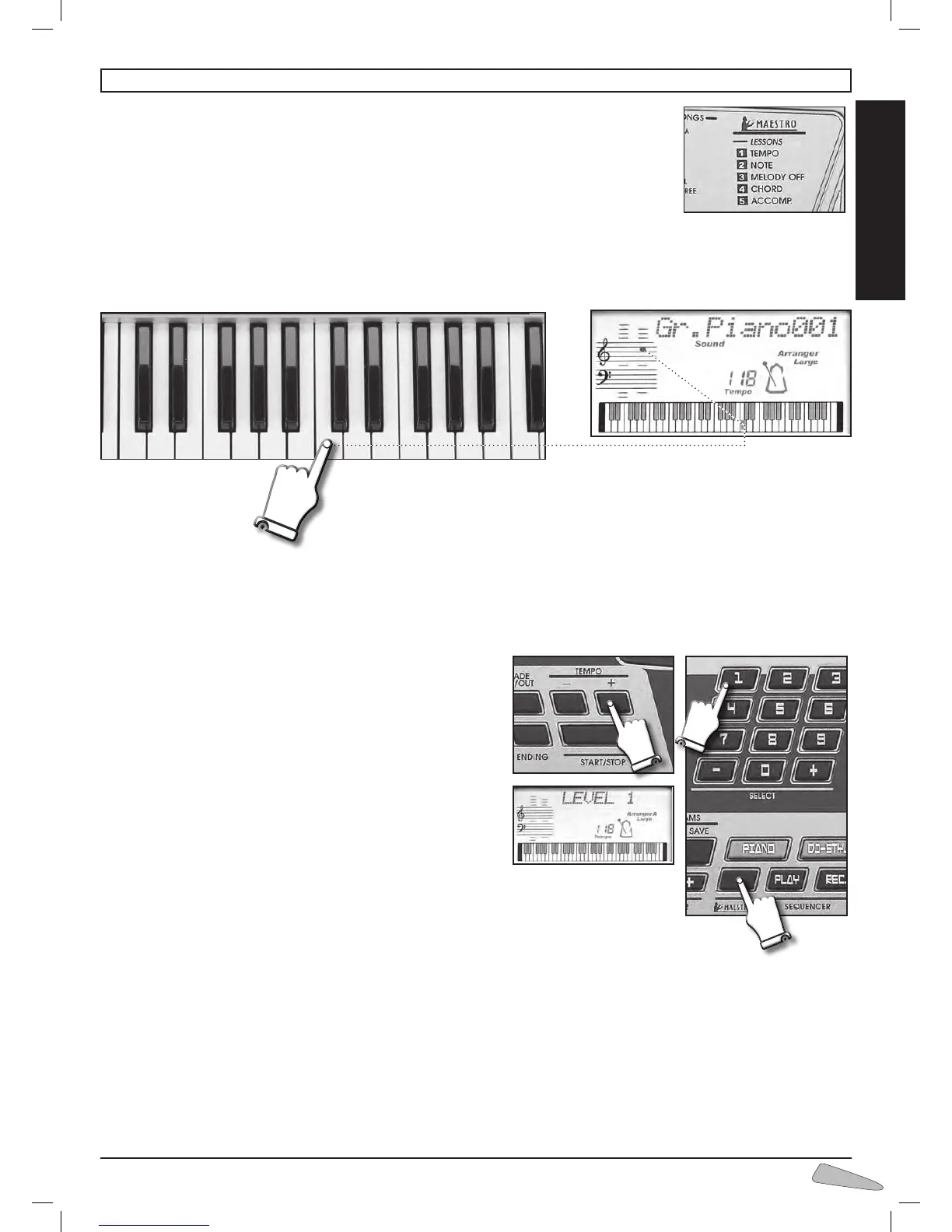
Press a key on the keyboard. The display shows which key you are pressing and the relative note will be shown on the pentagram.
1
st
level: Tempo of the song (TEMPO)
At the 1st level, you can become familiar with the melody notes and learn the tempo of the song.
=== How to do it:
After having chosen a tune, select level 1 first by pressing the
MAESTRO
button and then, when the display shows “LEVEL ?”,
number 1 of SELECT.
Use the START/STOP control to start and stop the performance.
You can quicken or slow down the tempo by using the TEMPO
“+/–“ buttons.
The song starts with some strokes of the metronome which indicate
the starting tempo. Right after, try playing the melody of the song repe-
atedly pressing one or more keys trying to keep tempo with the orche-
stra.
During your performance, the display will show the correct notes of the
melody.
The accompaniment will automatically follow you.
You will be able to change tune by pressing the corresponding button
on the SONGS list, or by using the SELECT “+ / –“ buttons.
If you wish to listen to the whole song, press START/STOP, then press SONG and then START/
STOP again.
2
nd
level: The Notes of the melody (NOTE)
When you are able to keep time you can try the 2nd level, which means playing the correct keys to perform the correct melody.
=== How to do it:
After having chosen a tune, select the 2nd level by pressing the
MAESTRO
button and then SELECT number 2.
Use the START/STOP control to start and stop the performance.
When the metronome stops, try to play the melody of the song; this time you have to press the right keys because the others will
not play. The display will help by showing you the correct melody keys in advance.
The accompaniment will automatically follow your performance.
13. MAESTRO - LESSONS



 To Next Page