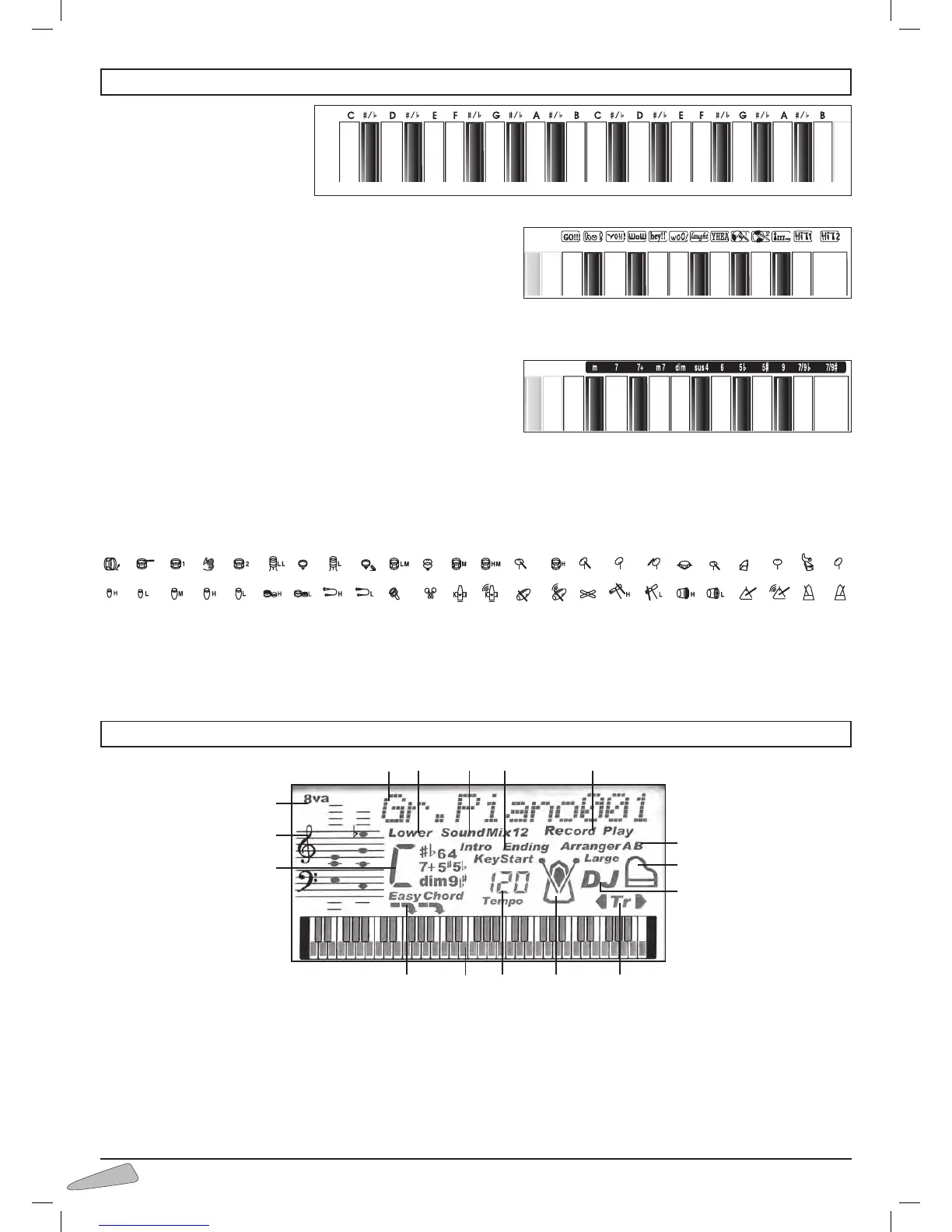
1) Indicates the name
of sounds, rhythm
styles, volumes and
other functions.
2) Indicates the selec-
tion for the tone of
the left side of the
keyboard or Lower.
3) Shows the selection
of the two mixed
sounds.
4) Indication of “Intro”,
”Ending”, ”KeyStart”
controls for the rhythm style.
5) Indication of enabled SEQUENCER: “Record” or
“Play”.
6) Indication of active automatic accompaniment and
pattern (Arranger A, B, A-Large, B-Large).
7) Indicates “PIANO” function is active.
8) Indicates “DJ STYLE” function is active.
9) I n d i c a t e s
“TRANSPOSER” is
active (transposition
high or low).
10) Metronome icon,
shows beat tempo.
11) Indicates the tempo
of the rhythm style,
of the song or of
the metronome.
12) 61 key keyboard
showing notes that
are pressed or that
have to be pressed if
in MAESTRO mode.
13) Indication of Split point (19 or 24).
14) Indication of the identified chord and EASYCHORD
function.
15) Pentagram with notes displayed.
16) Indicates an octave higher for the last 5 keys.
Letters on the left
Indicate the basic note for the
name of the chord.
Effects of the DJ STYLE
When the DJ function is enabled, each key corresponds to a special
effect.
The dictionary chord
When function 55 Dictionary is enabled, the display shows name and
composition of chords.
The rhythm instruments of the MANUAL DRUM
With function 57 Manual Drum On enabled, each key is connected to a percussion instrument.
6. THE DISPLAY
15
14
7
1
8
9
2
3 4 5
6
101112
13
16
5. DIRECTIONS ON THE KEYBOARD



 To Next Page