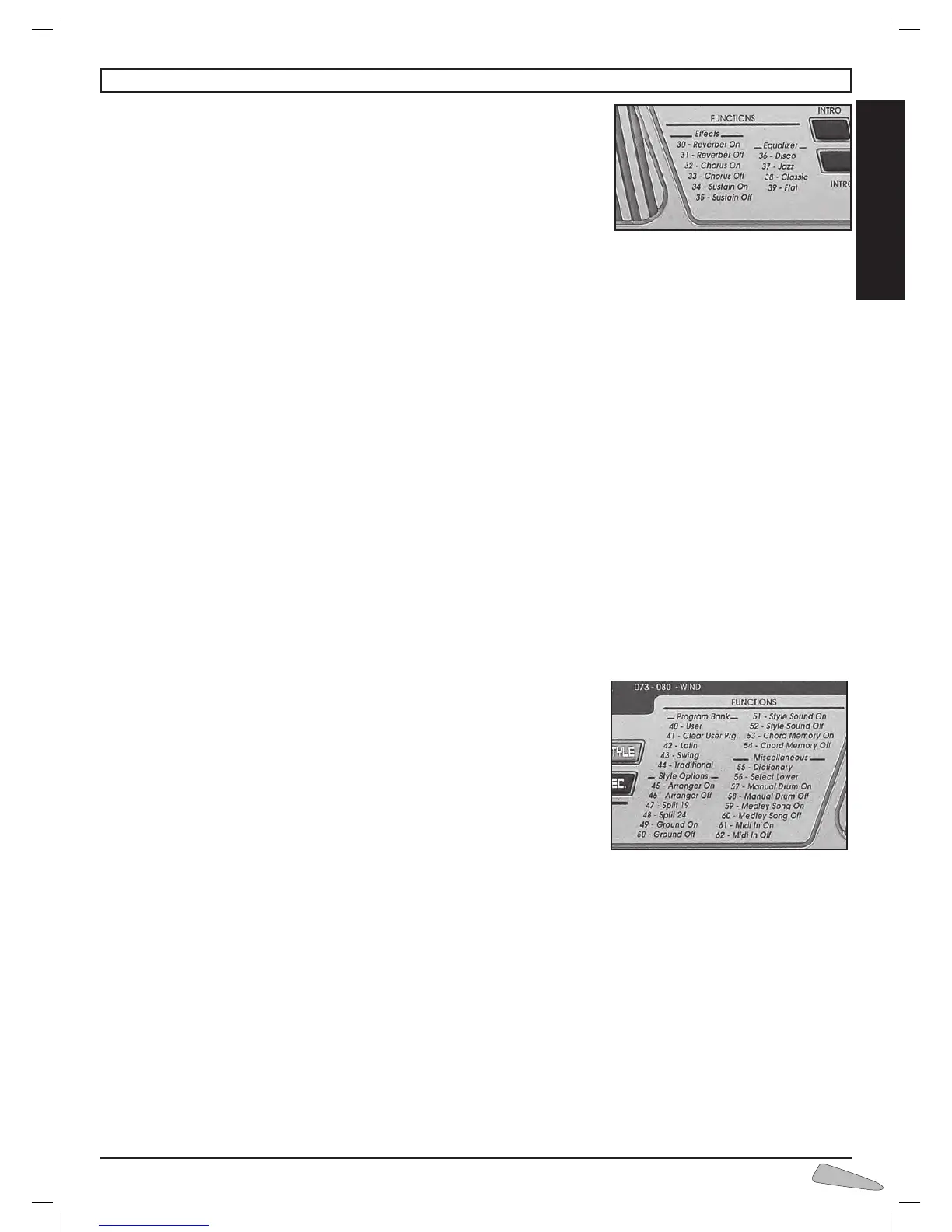
Effects
The effects modify the tone-colour characteristics of the sounds.
30-31 Reverber On/Off
This creates an effect as if you were playing music in an large empty room. To switch on
digit number 30 Reverber On, and to switch off digit number 31 Reverber Off.
32-33 Chorus On/Off
This is a tone-colour modulation that produces a typical effect of space between instruments.
To turn this on, digit number 32 Chorus On, and to turn off digit 33 Chorus Off.
34-35 Sustain On/Off
This prolongs the sound of a note after the key is released.
To switch on, digit number 34 Sustain On, and to switch off number 35 Sustain Off.
Equalizer
It allows choosing between four different equalisations suitable for various types of music. They are enabled typing:
36 Disco for disco music.
37 Jazz for jazz music.
38 Classic for classical music.
39 Flat excludes the equalisation.
IMPORTANT: When connecting the keyboard to an external amplification, it is better to choose a middle frequency equalisation and, most impor-
tant, to set the initial volume level at minimum.
Program Bank
Thekeyboardisabletorecallinthe"PROGRAM"memory(seechapter15"PROGRAMS")somegroupsof10programspreviously
prepared by the user or inserted by the manufacturer.
40 User to recall programs which the user has previously memorised
41 Clear User Programs to restore in the memory data to what It was the first time it was turned on
42 Latin programs for Latin music
43 Swing programs for swing music
44 Traditional programs for traditional music
=== How to select a program
For example, we want to set program number 7 of the Traditional bank:
•type44Traditional,thedisplayvisualises"
ProgTradit";
•pressLOAD,thedisplayvisualises"
Load Prog ?";
•typenumber7,thedisplayvisualises"
ProgLoaded".
Now the keyboard is prepared with the rhythm, the sounds, and the effects of program 7 of the Traditional bank.
Style Options
The functions from 45 to 54 are connected to the style functions.
45-46 Arranger On/Off
When a rhythm is functioning it starts or stops the arrangement of the rhythm.
To start press number 45 Arranger On (usually on) and to stop press number 46 Arranger Off.
47-48 Split 19/24
It is possible to set the point where the keyboard will be divided in two ways:
a. by entering 47, the display indicates “
Split 19”; this means that the left side of the keyboard goes from the first to the nine-
teenth key.
b. by entering 48, the display indicates “Split 24”; this means that the left side of the keyboard goes from the first to the
twenty-fourth key.
On the display, above the image of the keyboard, an arrow appears which indicates the dividing point. When turned on, division 24 is
activated.
14. FUNCTIONS



 To Next Page