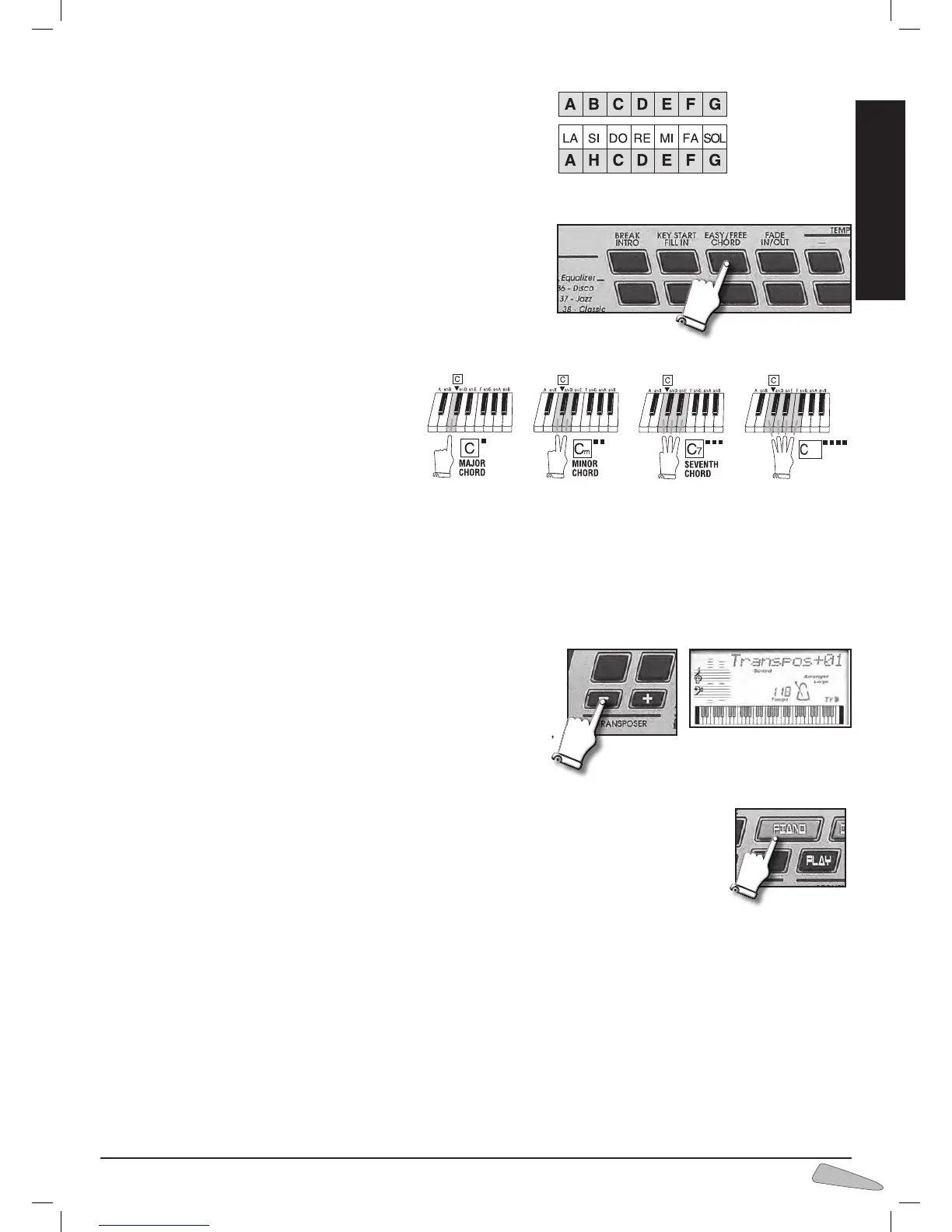
Free Chord
Chords are played in the traditional way and all the main chords are identi-
fied.
Standard setting is active. To select it use the EASY/ FREE CHORD con-
trol; the display shows “Free Chord”.
EASY PLAY enables Free Chord automatically.
The FREE CHORD mode works across the whole keyboard too when FULL
KEYBOARD is on.
The display shows the name of the chord in the Anglo-Saxon notation.
Easy Chord
This function allows you to compose chords on the left side of the keyboard
with the simplified mode:
one key will provide a major chord,
two keys a minor chord,
three keys a dominant 7th chord, and
four keys a diminished chord.
You can enable it with the EASY/ FREE CHORD
button; the display shows “Easy Chord”.
The fundamental note of the chord (the most impor-
tant one and the one that gives the name to the chord)
is represented by the key pressed on the far left.
For example, by pressing simultaneously C, D and E,
you will get a C7 dominant chord.
Transposer
The TRANSPOSER +/– controls shift the whole keyboard tonality by +/– 12
semitones.
By pressing one of the two buttons, the display temporarily shows the current
value.
The TRANSPOSER variation is always indicated on the display by the “< Tr “ or
“ Tr > “ signs. By simultaneously pressing the “+/–“ buttons of TRANSPOSER,
you will return to the standard 00 value.
The Piano
With the PIANO button, the PIANO sound and the chord identifier will be immediately enabled on the
whole keyboard.



 To Next Page