The sequencer section allows you to record and listen to everything you play. The Sequencer also allows you to check your learning
level; the musician can play the melody, record it while listening to a song and then listen to the result.
It is activated pressing the REC. button. The display shows “
Record On ” and “Record” flashing to Indicate that the Sequencer
is on.
Press REC. again to stop recording. The display shows “
Record Off ”. Press the PLAY button to listen again to what was
recorded, the display says “ Seq.PlayOn ” .
Press PLAY again to stop listening, the display says “
Seq.PlayOff ” .
About 400 notes can be memorised.
When the memory is full, the display temporarily shows “
Sequen.Full ” and the “Record” sign vanishes.
After a recording session, while PLAYis active, variations made on the control
panel can alter recorded events.
Recorded data is memorised as long as the keyboard is switched on. If nothing
has been recorded in the Sequencer, by pressing PLAY the display will tempo-
rarily show “
Seq.Empty ”.
N.B.: Sounds that come from the microphone cannot be recorded.
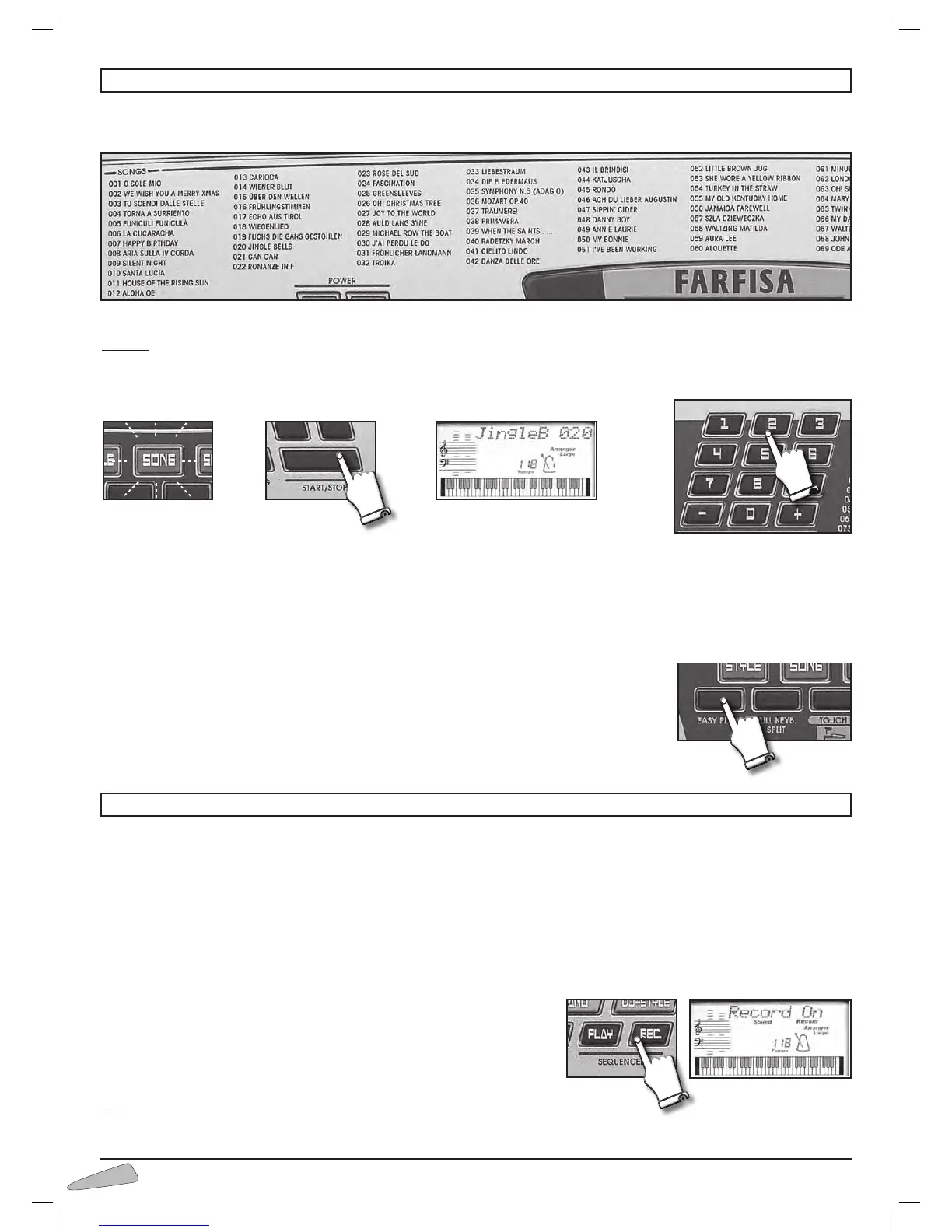
The instrument contains 100 classic repertoire songs.
To select the songs, enter a three digit number according to the SONGS list.
Example: for song 020 JINGLE BELLS,
•presstheSONG button (light on);
•typeontheSELECT numerical keyboard, 0, 2 and then 0 again;
•presstheSTART/STOP button to start or stop the musical performance.
Song volume
To adjust the volume of a song, press the keys “ + / – ” of the VOLUME SECTION. The display visualises “SongVol.” with the
volume value. By holding the button pressed down, the variation becomes continuous. To restore the standard volume press together
buttons VOLUME SECTION + and VOLUME SECTION –.
When a song is being played, you can immediately listen to other songs by entering the number of
the song you have chosen or by using the SELECT “– / +” buttons.
The EASY PLAY control sets the melody of the song and the standard TEMPO on the keybo-
ard.
11. SONGS
12. SEQUENCER



 To Next Page