EasyManua.ls Logo

Fargo Persona Persona C30e - User Manual

Fargo Persona Persona C30e
286 pages
Print Icon
To Next Page IconTo Next Page
Loading...
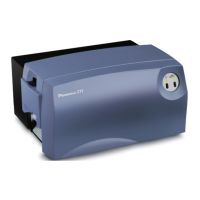
Persona® C30e Card Printer User Guide
(Rev. 1.1)
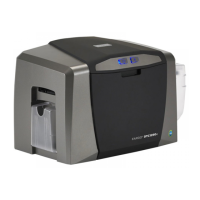
Single-side Model
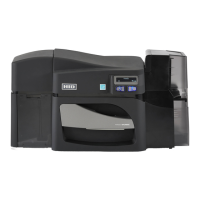
Dual-side Model
Single-side (plus Mag) Model
Dual-side (plus Mag) Model
Part Number: L001173 (user guide)

Table of Contents

Questions and Answers

  • M
    Michelle HensleyAug 20, 2025
    How to clear a card jam in my Fargo Persona Persona C30e?
    • J
      jonathanmcgrathAug 20, 2025
      If your Fargo Printer shows a 'Card Jam Error', it means the Card TOF Sensor is detecting no card motion. Open the Printer’s front cover, remove the Ribbon Cartridge, and check for any jammed cards in the print station.
  • T
    Tracy RiveraAug 22, 2025
    How to fix communication errors on my Fargo Persona Persona C30e Printer?
    • A
      Anthony CoffeyAug 22, 2025
      To resolve communication errors with your Fargo Printer, first ensure your system meets the minimum requirements: IBM-PC compatible, Windows 2000/XP Pentium class 500 MHz computer with 256 MB RAM or higher, 500 MB free hard disk space or higher, and a USB Port. Also, confirm that the Printer Driver is correctly installed by closing the software program, checking the Printer Driver, and rebooting the computer. Ensure the correct setup options are selected within the Printer Driver and verify that the Driver is current.
  • R
    Richard LawsonAug 25, 2025
    What to do if my Fargo Printer shows a 'Card Not Fed' error?
    • R
      rebekahkleinAug 25, 2025
      If your Fargo Printer is showing a 'Card Not Fed' error, start by removing the cards from the Card Hopper. Fan the cards out to prevent sticking, then align them in a straight deck. Press the Card Hopper Load Lever down until the Card Tray locks, load up to 100 cards with the print side down, and close the Card Hopper Cover. Press the Resume button. If the cards still don't feed, proceed to further troubleshooting.
  • T
    Teresa WilsonAug 26, 2025
    What does 'Ribbon Out Error' mean on my Fargo Persona Persona C30e Printer, and how do I fix it?
    • M
      maria11Aug 27, 2025
      If your Fargo Printer displays a 'Ribbon Out Error', it means the Ribbon Sensor has detected the end of the ribbon. Replace the Ribbon Cartridge and press the Resume button.
  • C
    celliottAug 28, 2025
    Why does my Fargo Printer say 'No Ribbon Installed'?
    • A
      Ashley FreyAug 28, 2025
      If your Fargo Printer shows a 'No Ribbon Installed Error', it means the Printer RFID Sensor isn't receiving a signal from the Ribbon. Verify that a Ribbon Cartridge is installed in the Printer and press the Resume button.
  • B
    blevinsandreaAug 30, 2025
    What does 'Ribbon Sensor Error' mean on my Fargo Printer?
    • N
      Nicole WolfAug 30, 2025
      If your Fargo Printer displays a 'Ribbon Sensor Error (Ribbon Miscue)', it indicates that the Printer cannot find the next panel on the Ribbon. Open the front cover and remove the Ribbon Cartridge. Check that the Ribbon is in good condition and not wrinkled or broken. If the Ribbon is broken or wrinkled, repair it and wind up the take-up roll 4-color panels past the damaged area.
  • M
    matthewdanielsSep 1, 2025
    How to fix 'Ribbon RFID Antenna is Corrupted' error on my Fargo Persona Persona C30e Printer?
    • D
      Daniel HernandezSep 1, 2025
      If your Fargo Printer displays a 'Ribbon RFID Error (Ribbon RFID Antenna is Corrupted)', it means the Ribbon tag information is corrupted or incorrect. Replace the Print Ribbon and press the Resume button.
  • H
    hmcintyreSep 3, 2025
    What to do for 'Ribbon RFID Sensor is Corrupted' error on Fargo Persona Persona C30e Printer?
    • T
      Tami HuffSep 3, 2025
      If your Fargo Printer displays a 'Ribbon RFID Error (Ribbon RFID Sensor is Corrupted)', it means the Ribbon tag information is corrupted or incorrect. Replace the Print Ribbon RFID Sensor and press the Resume button. If the error continues, replace the Printer Main Board.
  • K
    Kara GardnerSep 4, 2025
    Why does my Fargo Persona Persona C30e Printer say 'Invalid Ribbon Error'?
    • M
      Melissa FranklinSep 5, 2025
      If your Fargo Printer displays an 'Invalid Ribbon Error', it means the Ribbon installed does not match the Printer model. Verify that the Ribbon Cartridge installed is designed for the correct Printer model.
  • C
    Christopher MclaughlinSep 7, 2025
    What does 'Wrong Ribbon Error' mean on my Fargo Persona Persona C30e Printer, and how do I resolve it?
    • A
      Adrienne WilliamsSep 7, 2025
      If your Fargo Printer displays a 'Wrong Ribbon Error', it means the Ribbon installed does not match the Printer Driver information. Verify the Driver settings are correct by opening the Printer Control Panel from the Computer.

Summary

Specifications

Setup and Installation Procedures

Printer Setup and Installation

Comprehensive guide for installing the Persona C30e Card Printer.

Connecting Printer Power and Installing Components

Steps for connecting power, installing ribbon, and loading cards into the printer.

Printer Driver Installation and Testing

Guide for installing the printer driver and performing a test print.

General Troubleshooting

Resolving Core Printer Errors

Troubleshooting for communication, print process, card feeding, ribbon, and encoder issues.

Diagnosing and Resolving Image Quality Problems

Guide for identifying and fixing image defects, darkness, and placement issues.

Printer Adjustments

Cleaning

Cleaning the Printhead

Procedure for cleaning the printer's printhead to maintain print quality.

Cleaning the Platen and the Card Feed Rollers

Procedure for cleaning rollers to prevent jams and contamination.

Firmware Upgrades

Upgrade the Printer Firmware

Step-by-step guide for downloading and installing firmware updates.

Fargo Technical Support

Contacting Fargo Technical Support

Procedures for contacting technical support for assistance with the card printer.

Fargo Persona Persona C30e Specifications

General IconGeneral
BrandFargo
ModelPersona Persona C30e
CategoryPrinter
LanguageEnglish

Related product manuals