20
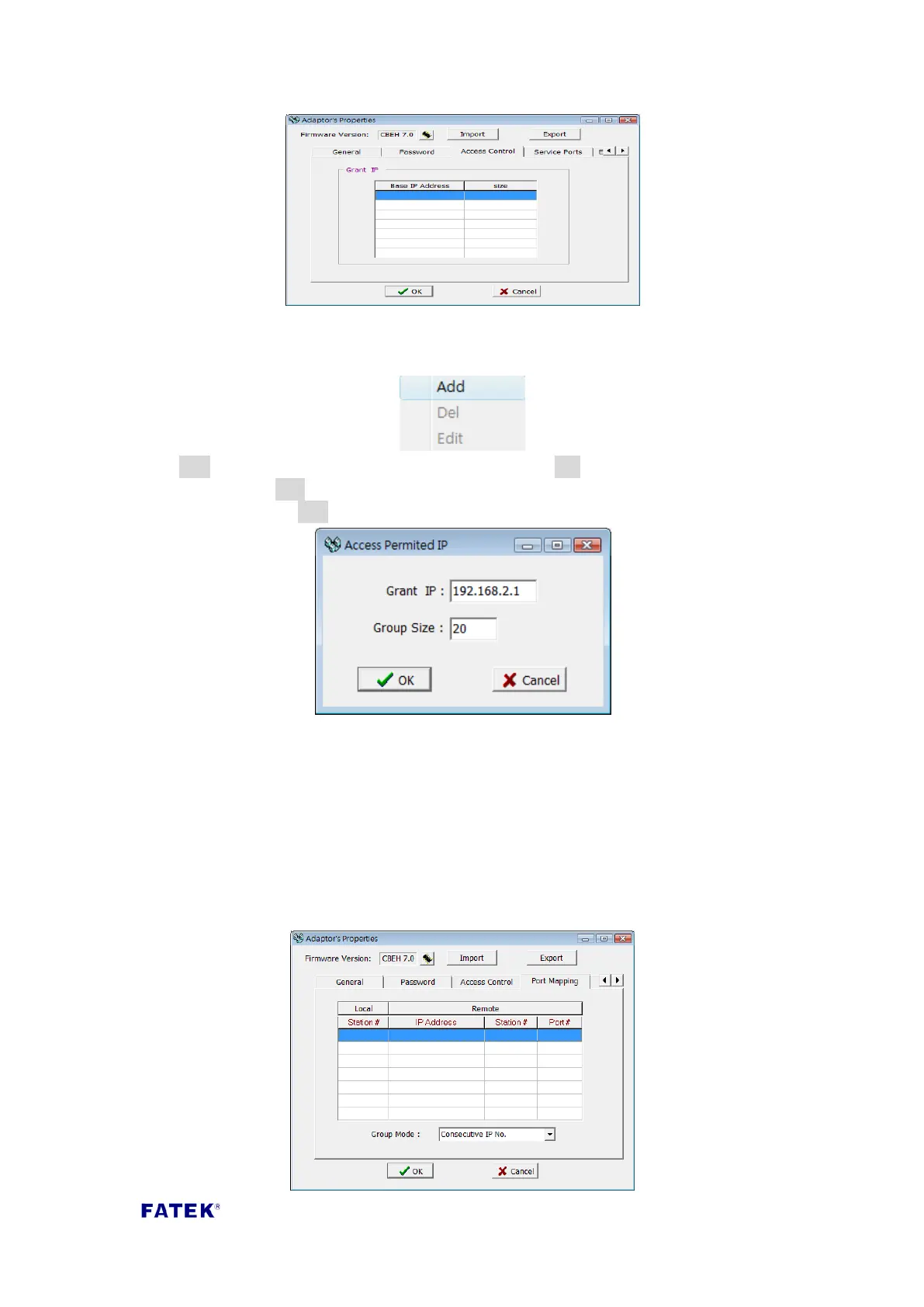
While setting, you can move the mouse cursor into the table and right-click the
mouse, a menu will pop out as shown below:
Click Add to add a new authorization data entry. Click Del to delete an authorization
data entry. Click Edit to modify an authorization entry. The following screen will
appear after clicking Add:
Use this screen to set a group of consecutive authorized IP (or PLC station number).
Please enter the smallest IP address in the Grant IP field, and in the Group Size field,
enter the number of corresponding controllers.
3.1.5 Port Mapping
When the operation mode of Port2 is set as Modbus/Fatek client mode in the basic
settings page, an extra port mapping tab will appear. The following screen will appear
after clicking the tab with the mouse:



 To Next Page