28
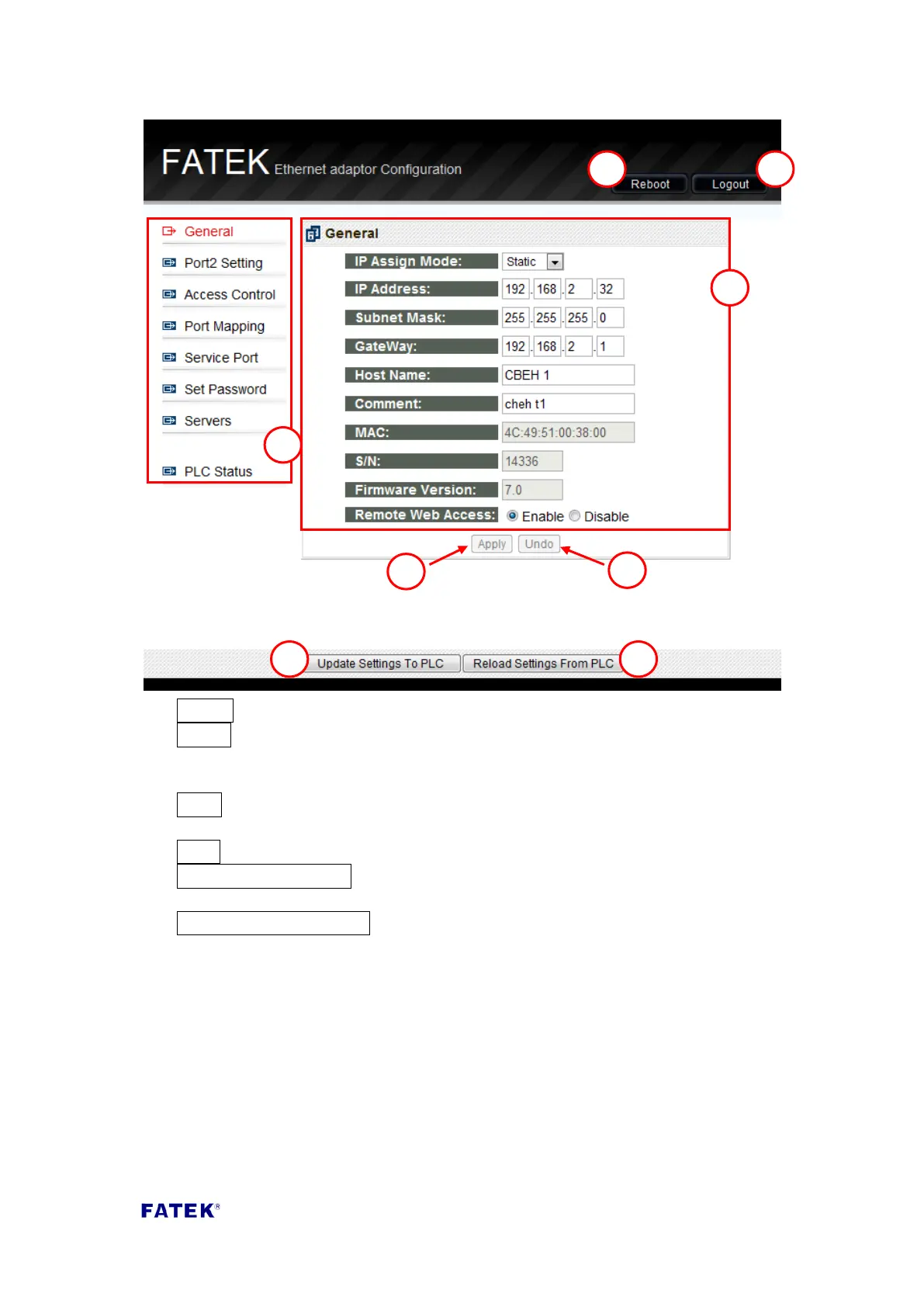
① Reboot Reboots the system
② Logout Logs out of the system page
③ Function menu
④ Function setting page
⑤ Apply applies the currently modified contents to this page, but this modification
is not yet updated to the CBEH expansion board
⑥ Undo Restore the most recently applied settings
⑦ Update Settings To PLC Updates all of the modified content onto the CBEH
expansion board
⑧ Reload Settings From PLC Discard the edited content and read the CBEH
expansion board’s setting again
3.2.2 IP Address Setting
Common data setting: Set the module’s network address, mask and gateway
parameters. To set these parameters click the General setting page, and the following
screen will appear:



 To Next Page