29
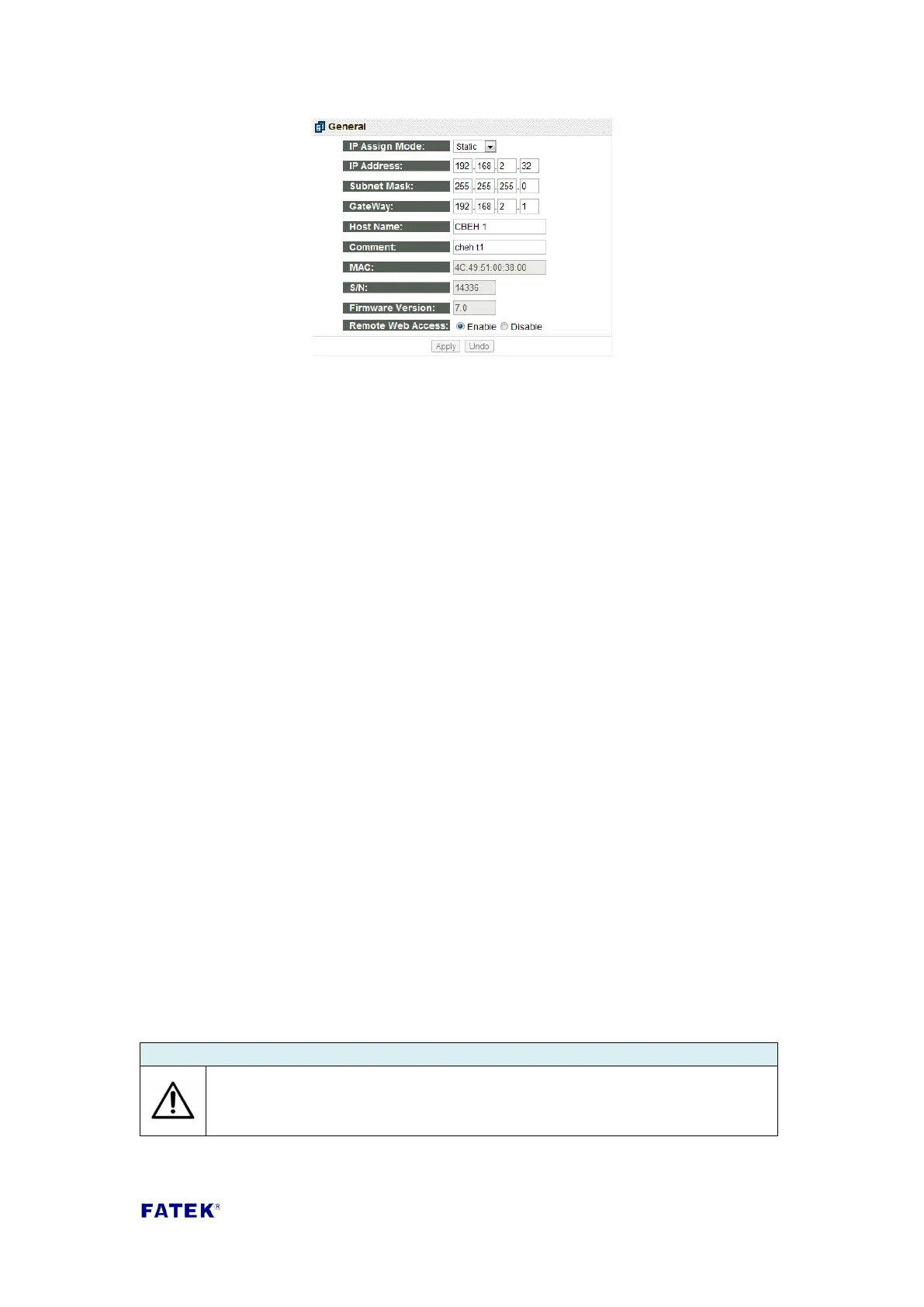
The following describes the meaning of each field:
IP Assign Mode: IP acquisition mode. Users can set according to their
application needs, there are:
1. Static: Static acquisition. User needs to manually set the network, mask and
gateway address .
2. DHCP: Dynamic acquisition. User does not need to set the network, mask
and gateway address; usable address will be acquired from the DHCP server.
3. By PLC: The CBEH module acquires the network address from the PLC’s
register (Please refer to the descriptions in Chapter 2).
IP Address: The network address of this expansion board.
Subnet Mask: The subnet mask of this expansion board.
GateWay: The external gateway of the domain where this expansion board is
located.
Host Name: Used for commenting, able to indentify different modules; a
maximum of 11 characters can be entered.
Comment: Used for commenting; used to explain detailed module information,
a maximum of 21 characters can be entered.
MAC: The MAC Address of this expansion board.
S/N: The manufacturing serial number of this expansion board. The CBEH
expansion board can use this serial number to directly connect to the web page.
Using serial number 14336 in the figure above as a usage example, in the
browser web address column enter: http://fac14336 to connect to the web
page. This method can only be used under the local area network (LAN)
connection.
Firmware Version: Displays the expansion board’s firmware version.
Remote Web Access: Security setting. When checked, it allows remote web
page setting through the internet. This item must be checked if you want to use
the internet setting method mentioned above.
It is suggested to use the password protection when Remote Web Access
is checked in order to avoid security leakages. Please do not check this
option if not necessary in order to avoid malicious access.



 To Next Page