64
Decimal), positive integer (Unsigned Decimal) or Hexadecimal.
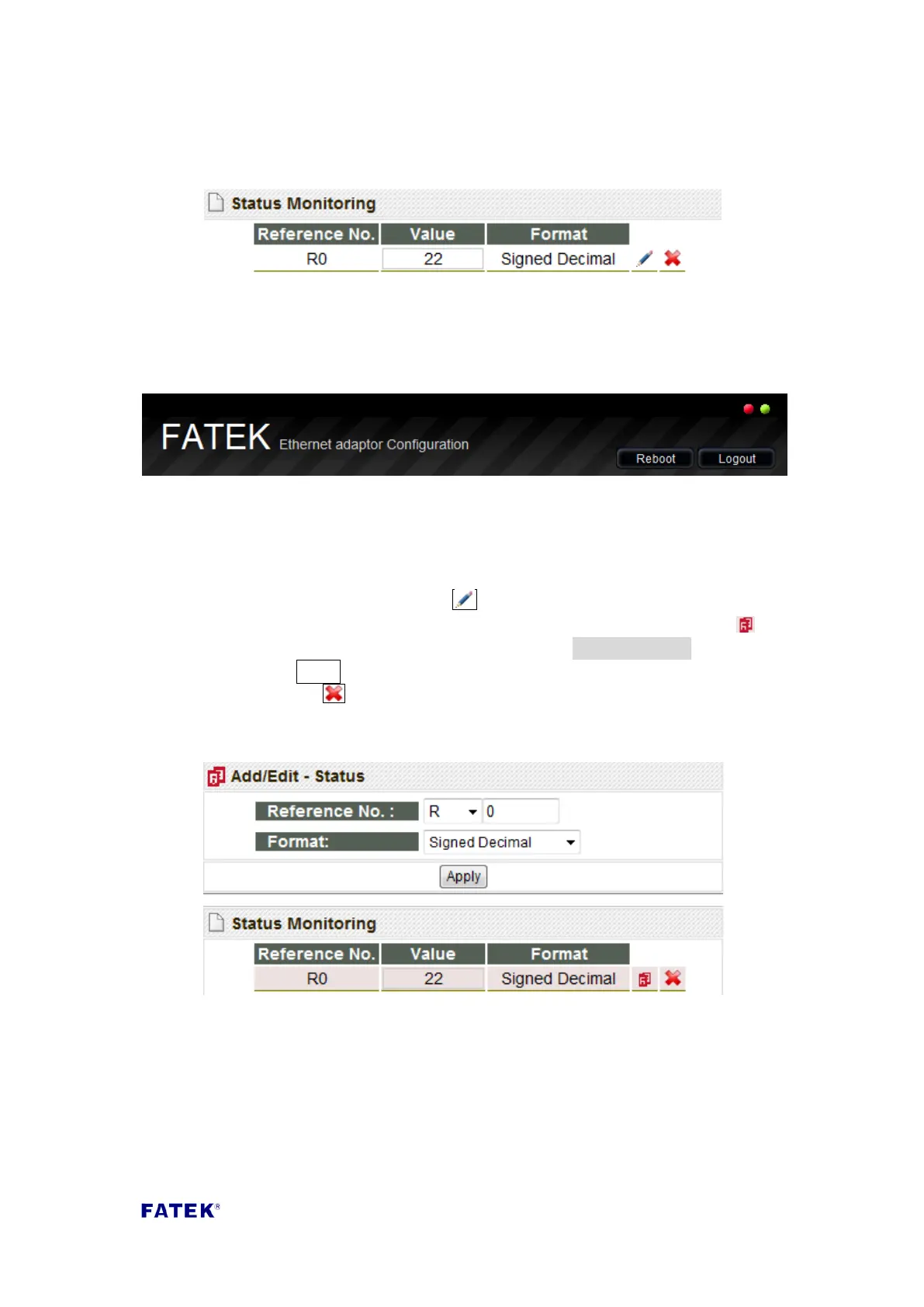
When the new point is added, the newly added data can be seen in the Status
Monitoring field, as shown in the figure below:
You can also notice that the communication signal on the top-right of the webpage
will start to flicker, this means that the communication status with the PLC is normal:
7.2 Modifying and Deleting Monitoring Points
To modify a monitoring point, click the button behind that point in the Status
Monitoring field, the icon is to modify; when pressed, the icon will change to and
the highlighted parts will turn red, then you can edit the Add/Edit-Status field on top
and then press the Apply button to complete the modification. To delete a point,
please directly press the button to delete that corresponding data entry.



 To Next Page