33
3.2.7 Password
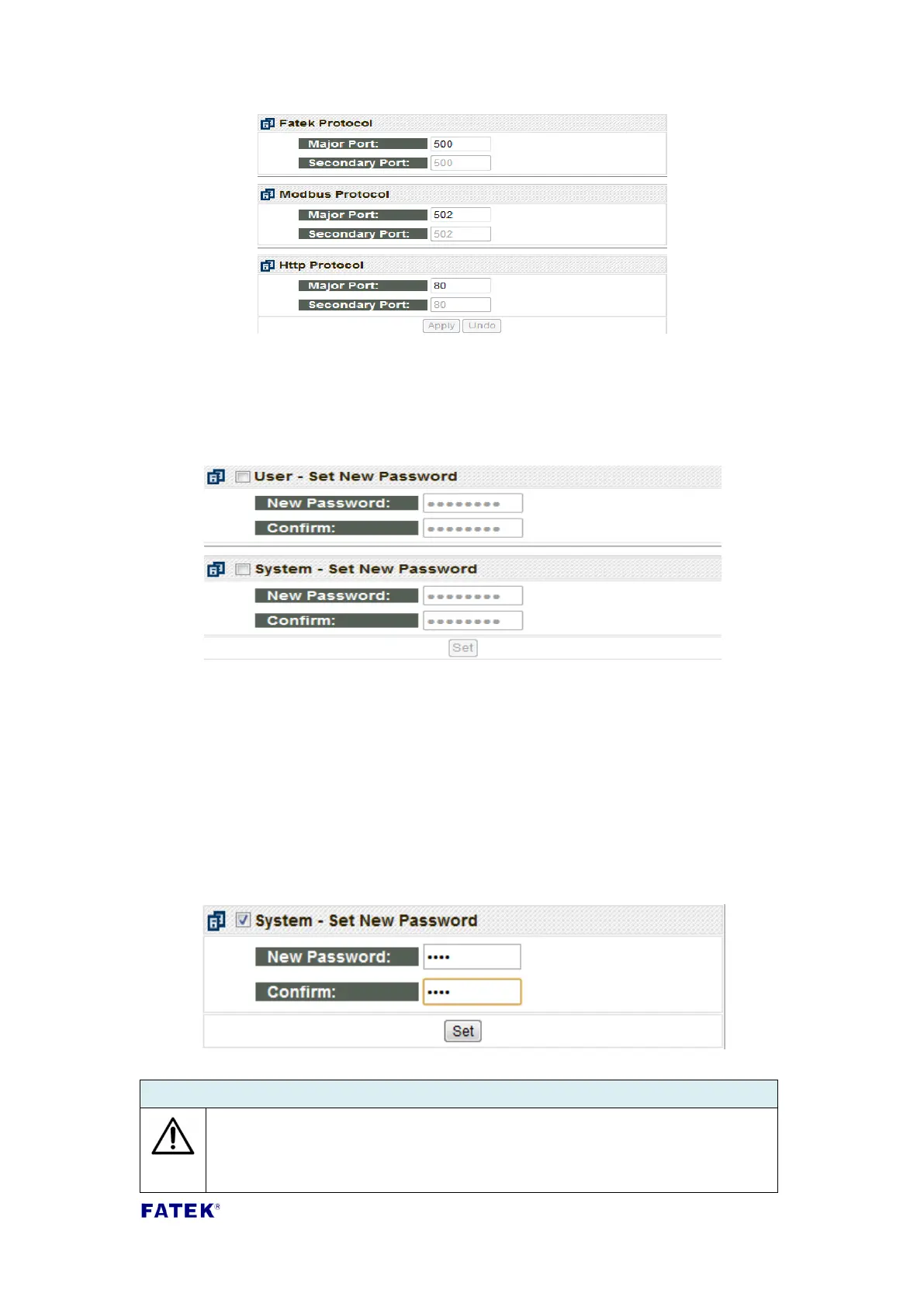
Password protection: To set the password, click the Set Password setting page, and
the following window will appear:
According to operation privilege differences, the CBEH module divides the password
section into User password and System password. To enter an operation page, the
user password or system password must be entered in order to log in; and to enter
the system webpage, the system password must be entered to log in. There is no
password set for the default factory user password, and the default factory system
password is 1234.
If modification to the user or system webpage password is required, you can check
the box in the page and enter the same password twice and then press the Set
button to complete the modification:
If the password protection mechanism is not needed, check the
corresponding page and press the Set button directly to cancel the
password.



 To Next Page