55
Msg. Body: Set according to the working mode; in “Email” mode, just like
ordinary Emails, fill in the Email content to send. And when the working mode is
“Email to SMS”, users must refer to the setting of the service provider that
provides the Email to SMS function for this field; the received SMS content is
the subject content.
Subject Table: Subject content that can be set as default; when actually sending
the SMS, the subject sent is determined by the content of the control register
(D3962) when actually sending. If it’s the 0
SMS, it uses the 0 subject; if it’s 1
SMS it uses the 1 subject and so on.
Include Source ID in Subject: If this box is checked, the input string in the source
ID field will be automatically prefixed to the subject content before sending.
The format is [*Source ID*] Subject Content. For example if the content of the
source ID is PLC, then the sent subject will turn into [*PLC*] Subject Content.
By using this function, the source of the message can be identified.
Below we will introduce how to send ordinary Emails and how to send Email to SMS
messages.
How To Send Ordinary Emails
Step 1, confirm the FBs-CBEH series expansion board’s configuration setting.
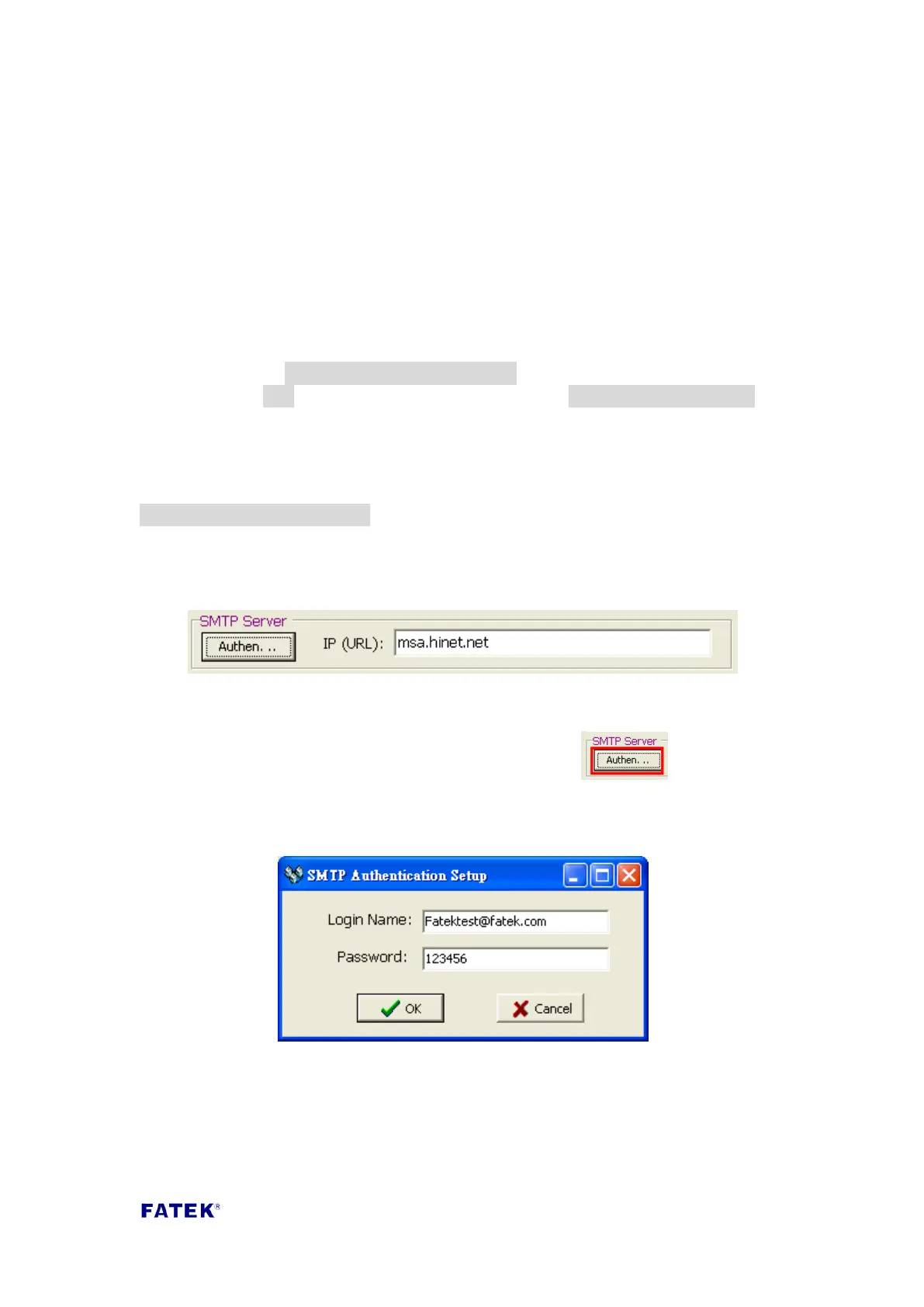
Before sending Emails, the SMTP Server address must be filled in the IP (URL) field.
Attention: Generally, SMTP Server does not need security check. When you realized
SMTP Server needs security check, please chooses and then the
following message will be shown. Fill in your login name and password of SMTP
Server.
Step 2, open the Email Editor and set the Email sending information.
Just like ordinary Emails, fill in information such as the Email’s recipient, Email body
and subject content etc.; if you want to add source ID before the subject, you can
check the “Include Source ID in Subject” option.



 To Next Page