Appendix 2 -5
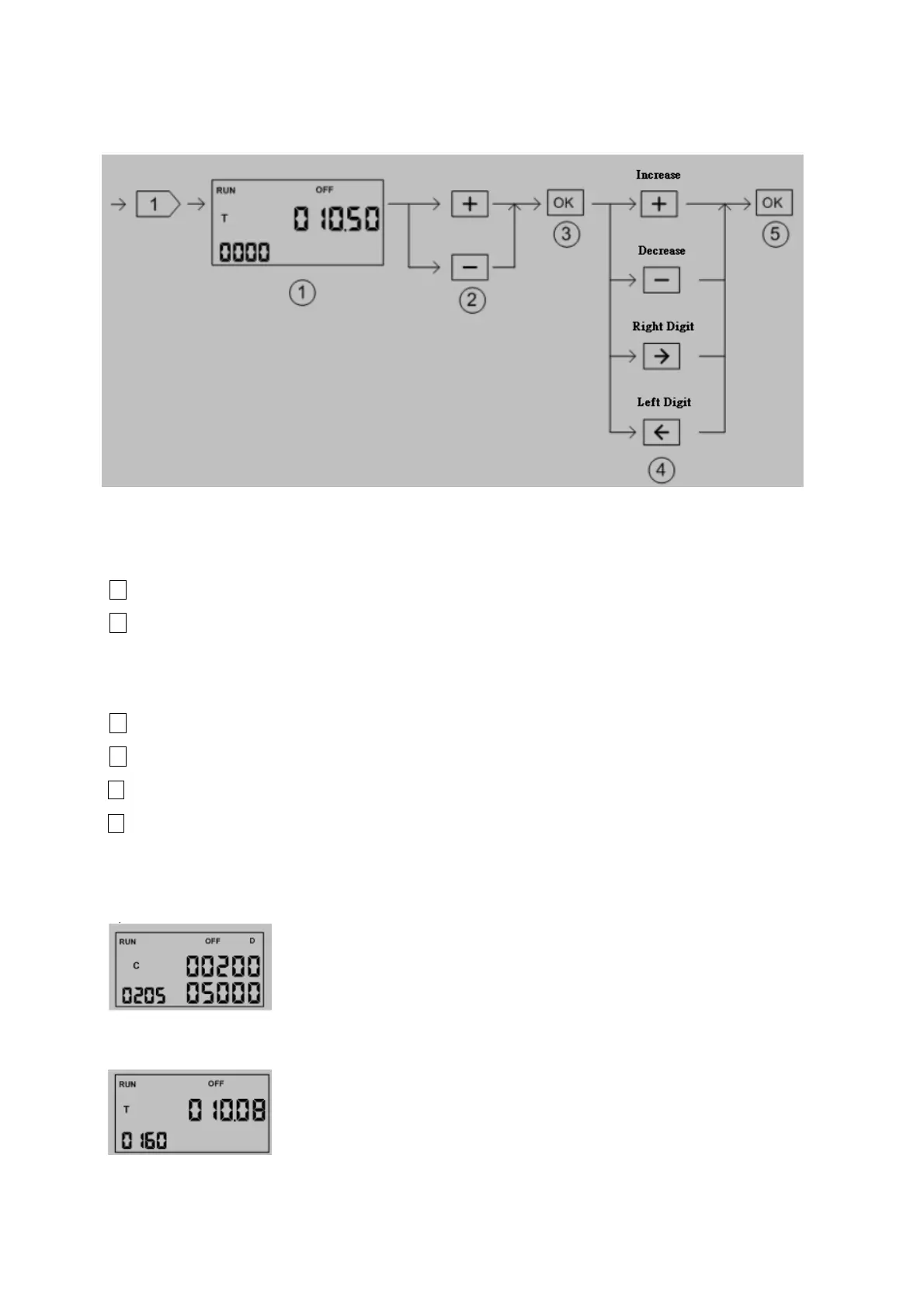
Timer/Counter Status Monitoring:
○
1
The current value of T, C element if reach the preset value will show ”ON”, otherwise
will show”OFF”
○
2
Reference number adjust
+ key: Reference number decreased by one
- key: Reference number increased by one
○
3
Enter editing mode. The digit to be changed will be blinked.
○
4
Modify value
+ key: Increased by one
- key: Decreased by one
Æ key: Move to the right digit
Å key: Move to the left digit.
○
5
Finish the editing and increase the reference number by one and back to ○
1
※ When monitoring the counter element, if the reference number is great than 200
then the display value will be in 32 bit format(C200~C255 are 32bit counter)
※ When monitoring the timer element, the decimal point of current value will be set
accordingly.



 To Next Page