EasyManua.ls Logo

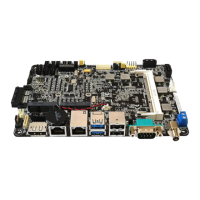
Faytech FAY-002 - 2.2 Motherboard layout

Faytech FAY-002
47 pages
Print Icon
To Next Page IconTo Next Page
To Previous Page IconTo Previous Page
Loading...
FAY-002
2-2
ALC
887
AAFP1
LVDS1
Super
I/O
MINI_CARD1
DP_HEAD1
MINI_CARD2
J1
11.5cm(4.53in)
16.5cm(6.5in)
DDR3L_DIMM_A1 (64bit, 204-pin module)
DC_PWR1
LAN1
DP1
LAN2
USB3_1
USB2_23
F_PANEL
SPDIF_OUT1
AMP_CON1
J2
J4
CLRTC
J3
LED1
LED2
CHA_FAN1
SATA3G_2
SATA3G_1
COM2
COM3
DIO1
USBHUB_56
USBHUB_34
ASM1456
SPI1
64Mb
BIOS
J1900
INV1
CHRONTEL
CH7511
SMSC
USB4604
SMSC
USB4604
RTL
8111G
RTL
8111G
COM1
KBMS1
PCIEX1_1
BATTERY1
SATA_PWR1
EATX_PWR1
VGA1
1 2 4 5 63
15
14
16
17
18
11
12
13
9
10
23
24
17192122
20
7
8
25
26
27
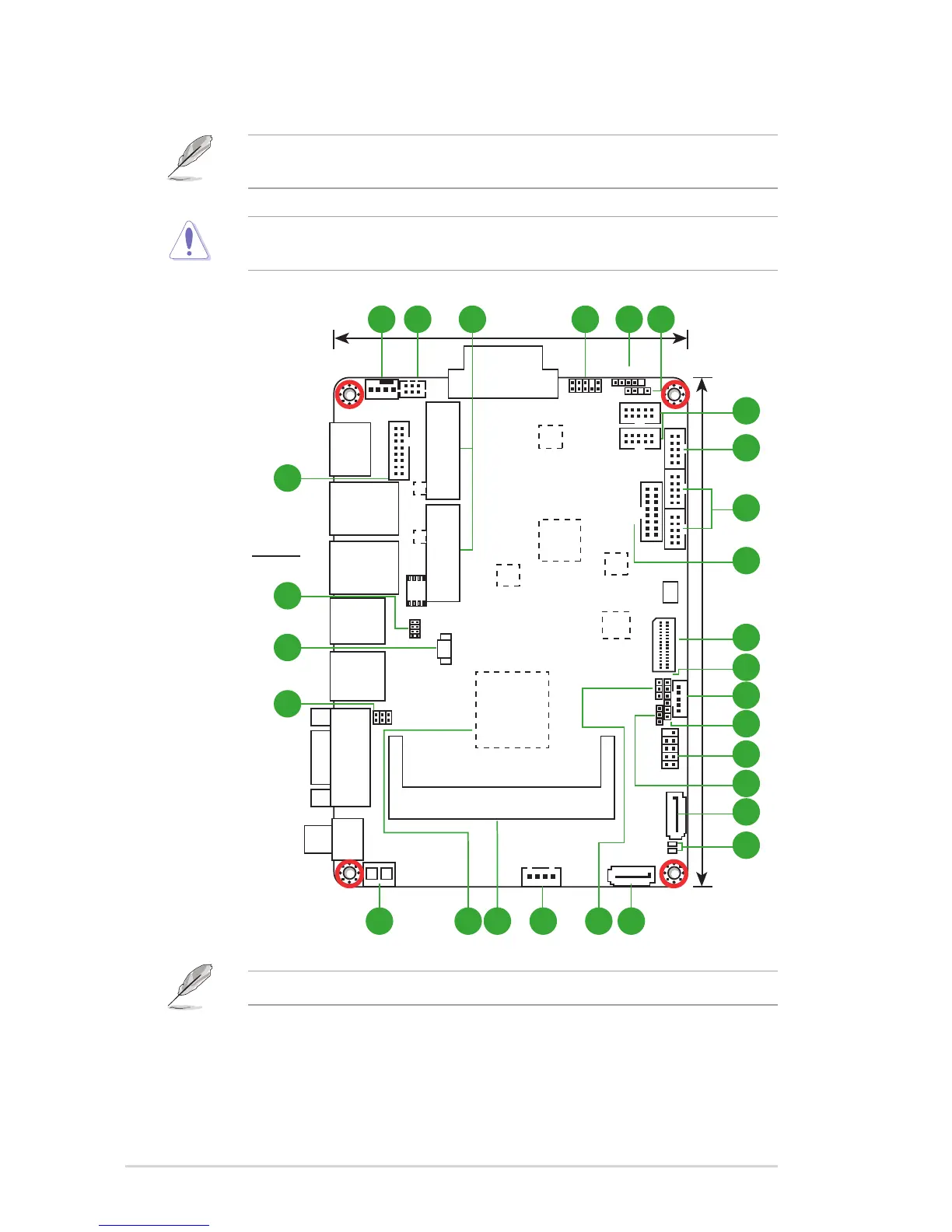
2.2 Motherboard layout
Place this side
towards the rear
of the chassis
NOTE: Place four screws into the holes indicated by circles to secure the
motherboard to the chassis.
CAUTION!Donotovertightenthescrews!Doingsocandamagethe
motherboard.
TheUSBportonthebottomsupportsUSB3.0transferrate.

Other manuals for Faytech FAY-002

Related product manuals