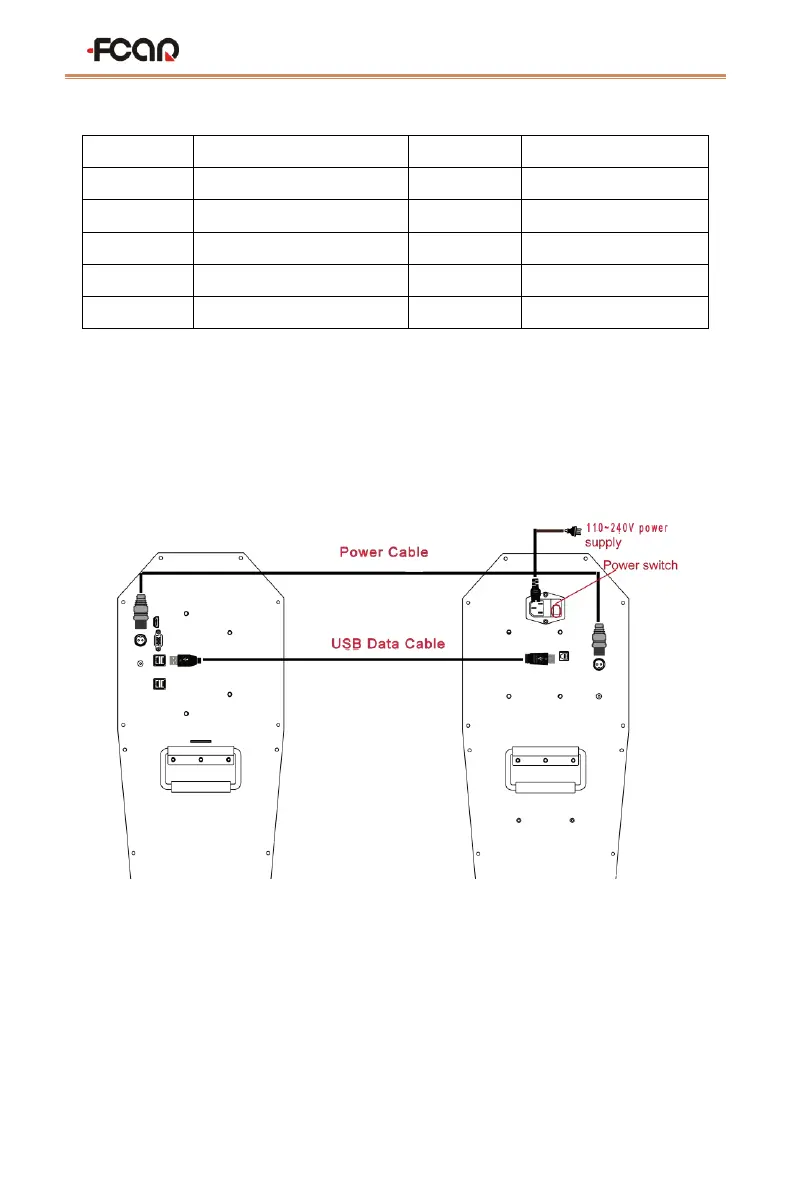
Connect the two mainframes with the power cord and data cable of our factory
configuration as shown below. Connect the power plug to the standard three-terminal
power socket. The power supply requires 110~240V. Turn on the power switch to start the
two hosts.
3.4 Host on/off and function menu main interface
After the host is started, turn on the tablet. Since the tablet has been connected to
Wi-Fi of the router built in the host computer at the factory, the program can connect to
the host automatically. If not, you can manually select the connection according to the


 To Next Page