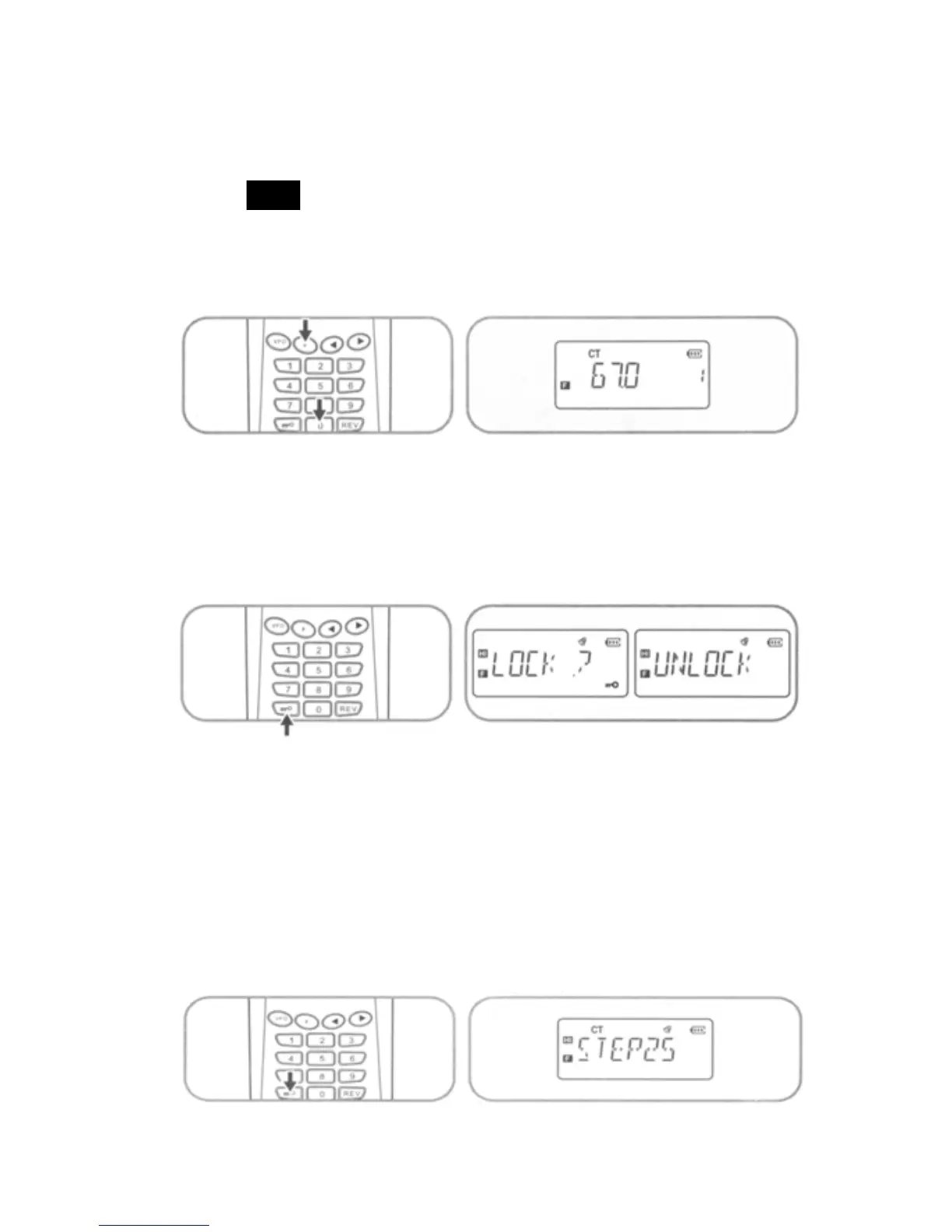
b) To use DCS coding Press [F] + [0] + [F] sequence to view
the setting for the current receive frequency. Use [◄] / [►]
keys to select the DCS frequency value desired then press
[ VFO ] key to set DCS Normal/Inverse option. Press PTT
switch to accept selected settings and exit. (See table at
end of document for DCS values)
12. Lock/Unlock Keypad
Press and hold [*
³] key for 2 seconds to toggle the keypad
lock/unlock setting. (see also Auto Lock item #7)
13. Step (Sets the minimum frequency increment)
Press [F] + [*
³] key to display current step setting. Use [◄] /
[►] keys to select the desired STEP increment of 5k, 6.25k, 10k,
12.5k, or 25k. Press PTT switch to accept selected settings
and exit.
14. Simplex – Duplex
16



 To Next Page