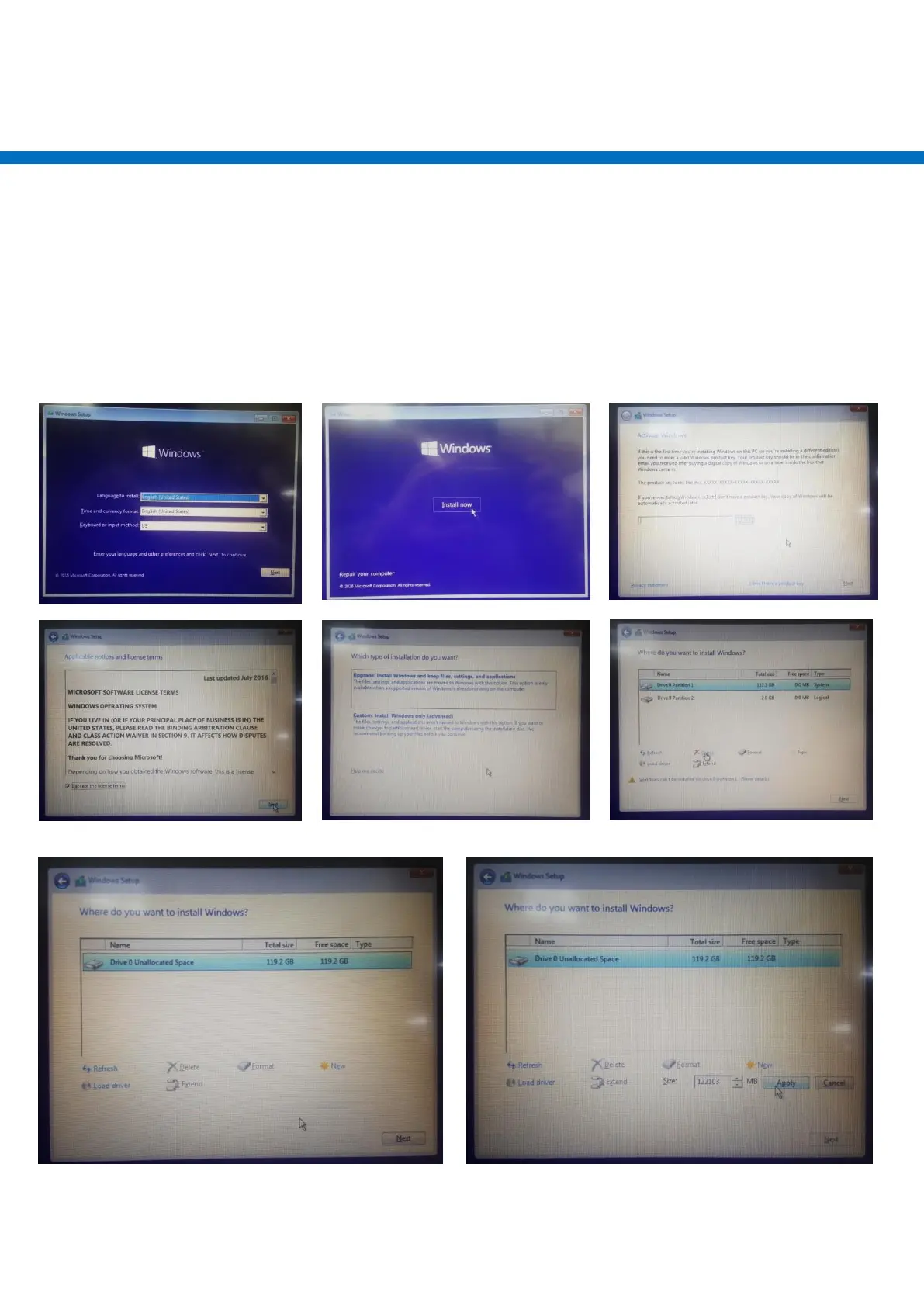
Windows 10 Enterprise Installation
1. Select language
2. Click Install now
3. Enter the Product Key
4. Check applicable notices and license terms , Next
5. which type of installation do you want , example: install windows only
6. If you are using an old hard disk, select “Delete” remove the hard disk partition
7. Remove the hard disk partition is complete , or use new hard disk
select “New” Create hard disk partition
8. Select partition size
1



 To Next Page