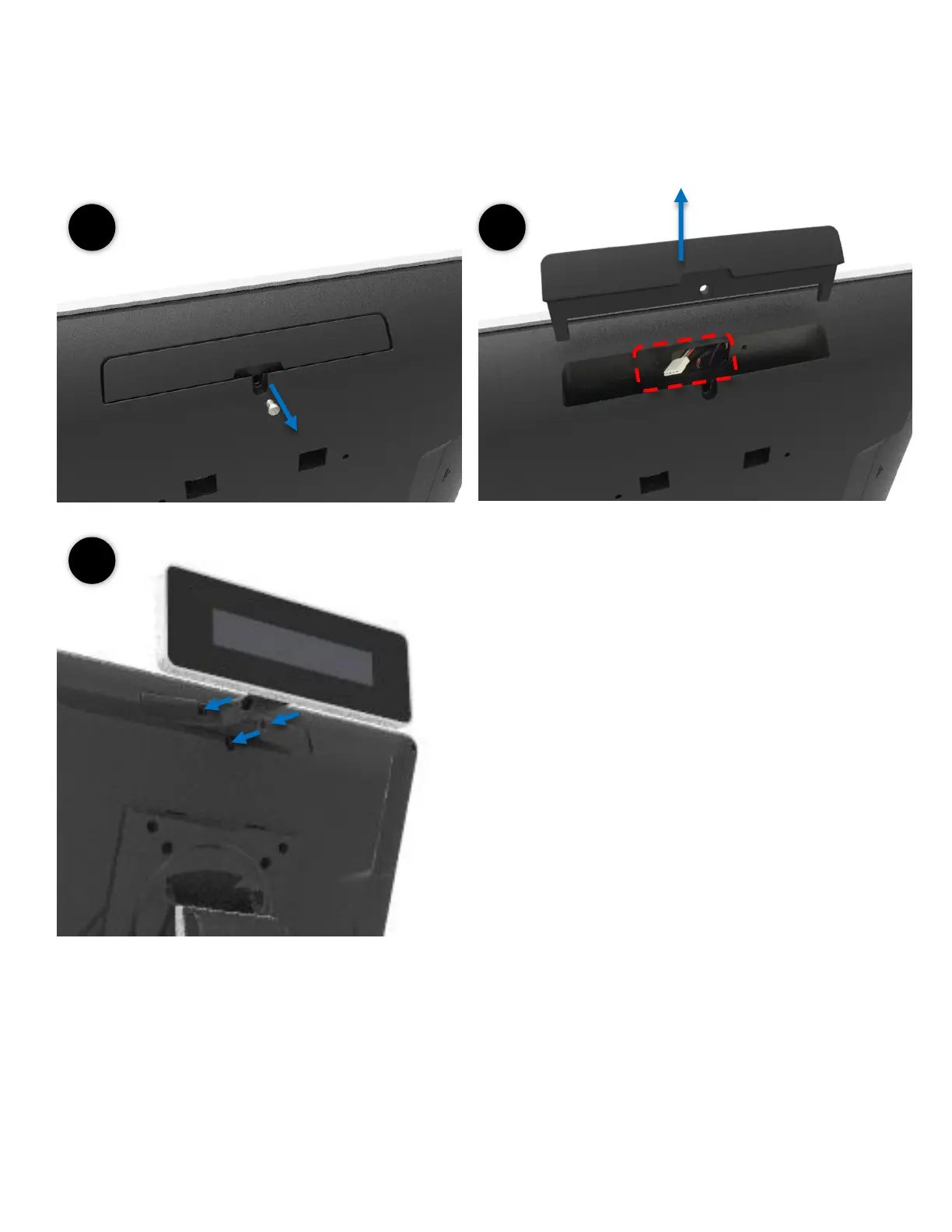
How to Install the Integrated Customer Display (VFD & LCM)
Customer display (integrated type) is connected to
COM6
Make sure the power setting is correct before
the customer display is connected
5mm LCM Module (AP-2025) is 5V
9mm VFD (AP-2029), 9mm LCM 20x2 (AP-2024),
LCM 240x64 (AP-240G) are 12V
Do not exceed the tilt angle as this may damage
the internal cable
1. Loosen the 1 x M3 screw
2. Remove the cover
Connect the cable
3. Slide the customer display in place and screw in
the 3 x M3 screw



 To Next Page