How to Adjust Display Brightness
1. Connect a USB keyboard to the system and restart/boot up
2. During boot up press “delete” key to enter the BIOS
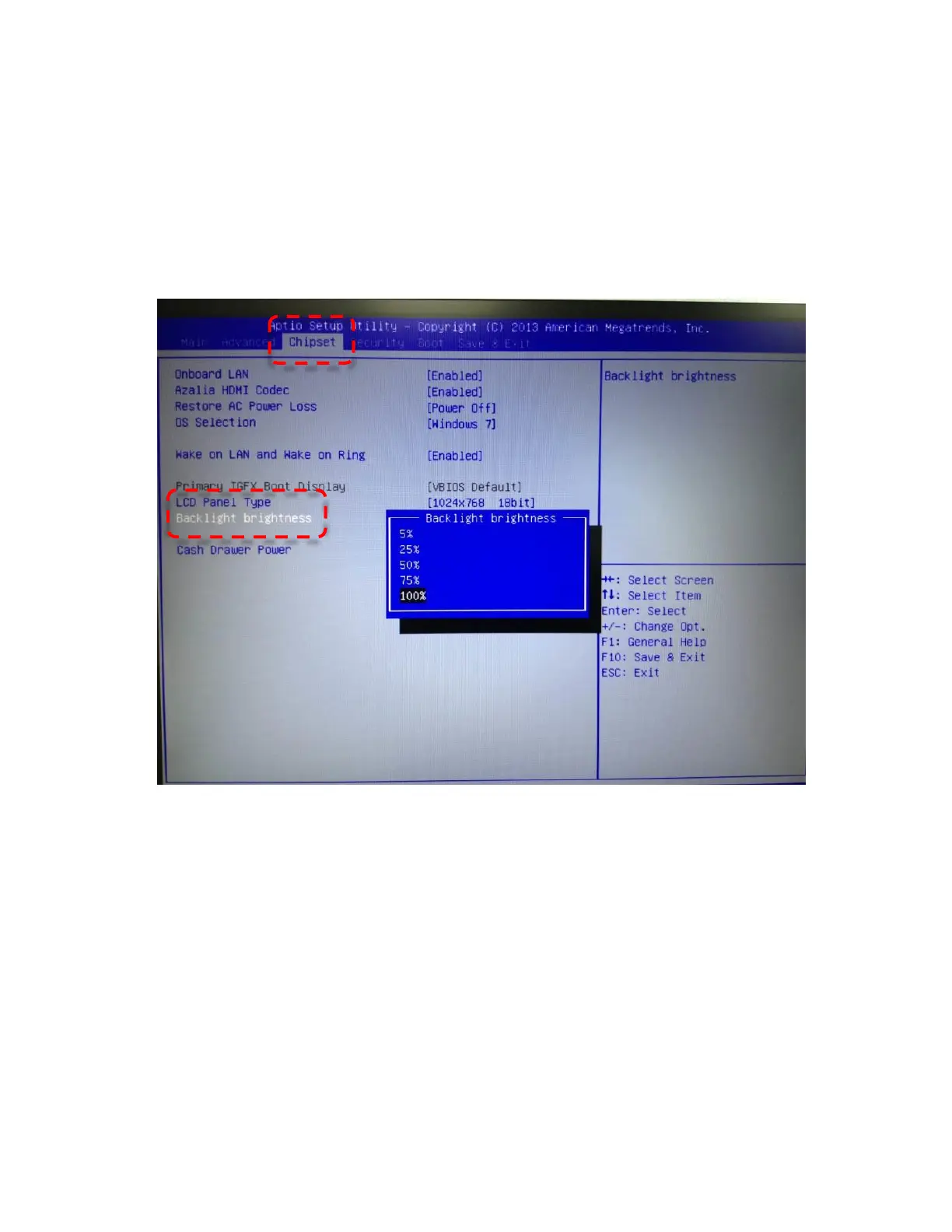
3. Using the arrow buttons, find “Backlight brightness” under the “Chipset” tab
Settings available include: 5%, 25%, 50%, 75%, 100%



 To Next Page