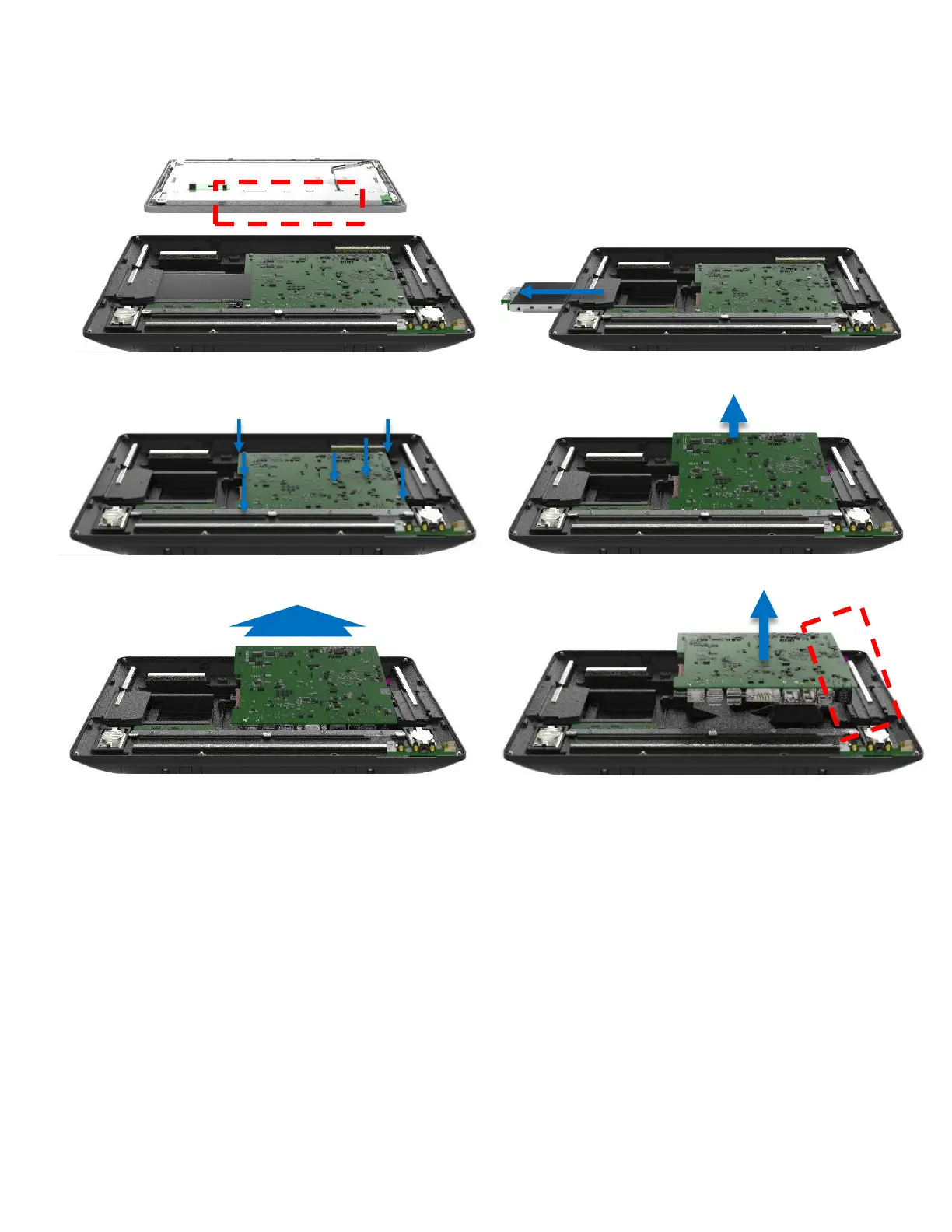
Read First: First follow instructions of how to open the PPC.
1. Remove the cables from the display side
2. Remove the storage device
3. Remove 7 screws
4. Lift the mother board slightly from the top end
5. Move the motherboard our very slightly to remove the IO from the IO bracket
6. Carefully lift up not to bump into any connectors
7. Remove cables from the board



 To Next Page