EETI Touch Kit Installation (For PP-9635A / PP-9635C)
1. Download drivers from www.fecpos.com/en-global/ams/Download
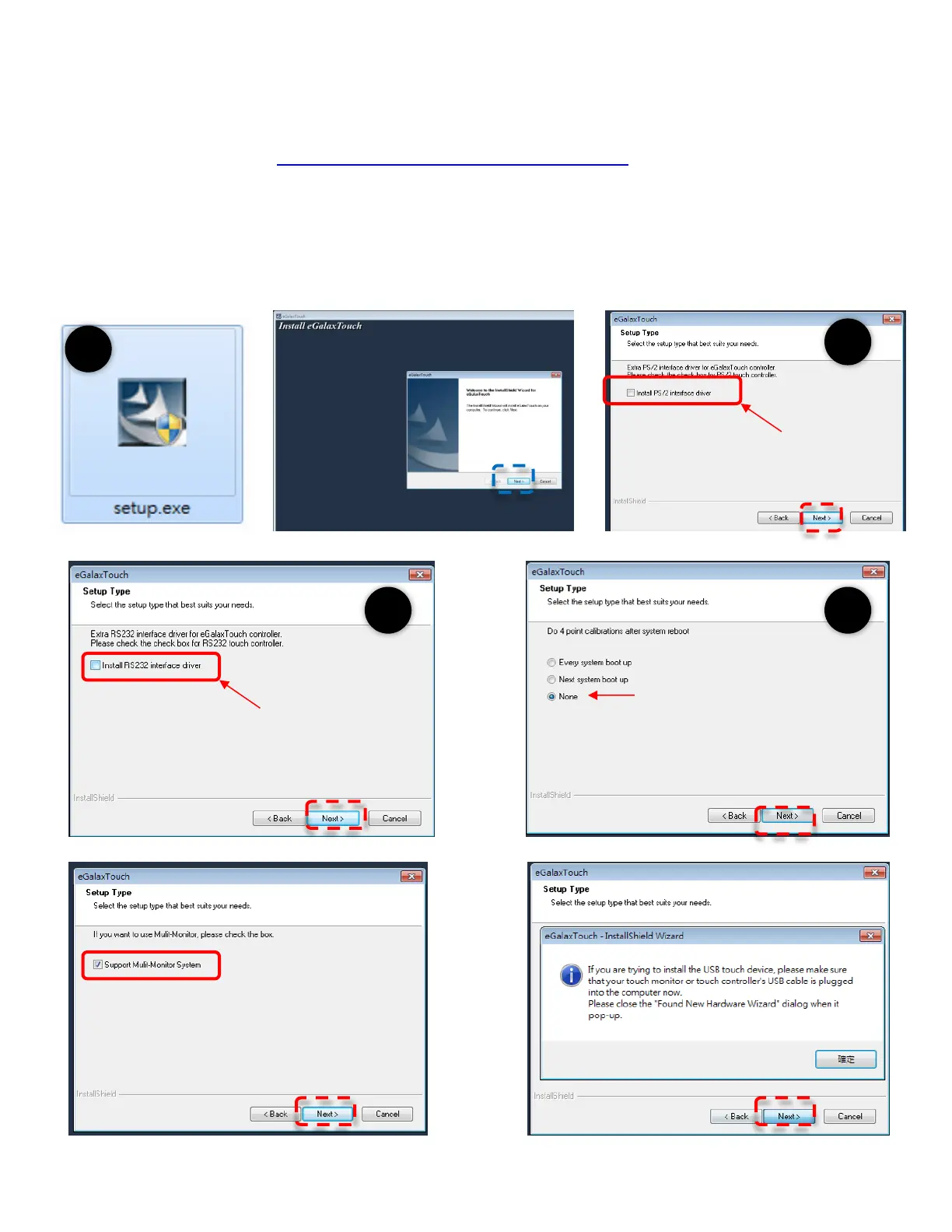
2. Run Steup.exe; Click “Next”
3. Do NOT check Install PS/2 interface driver and continue
4. Do NOT check Install RS232 interface driver and continue
5. Confirm USB touch device is in use
6. Check Support Multi-Monitor System” and continue
7. Restart PP-9635 to complete installation
8.



 To Next Page