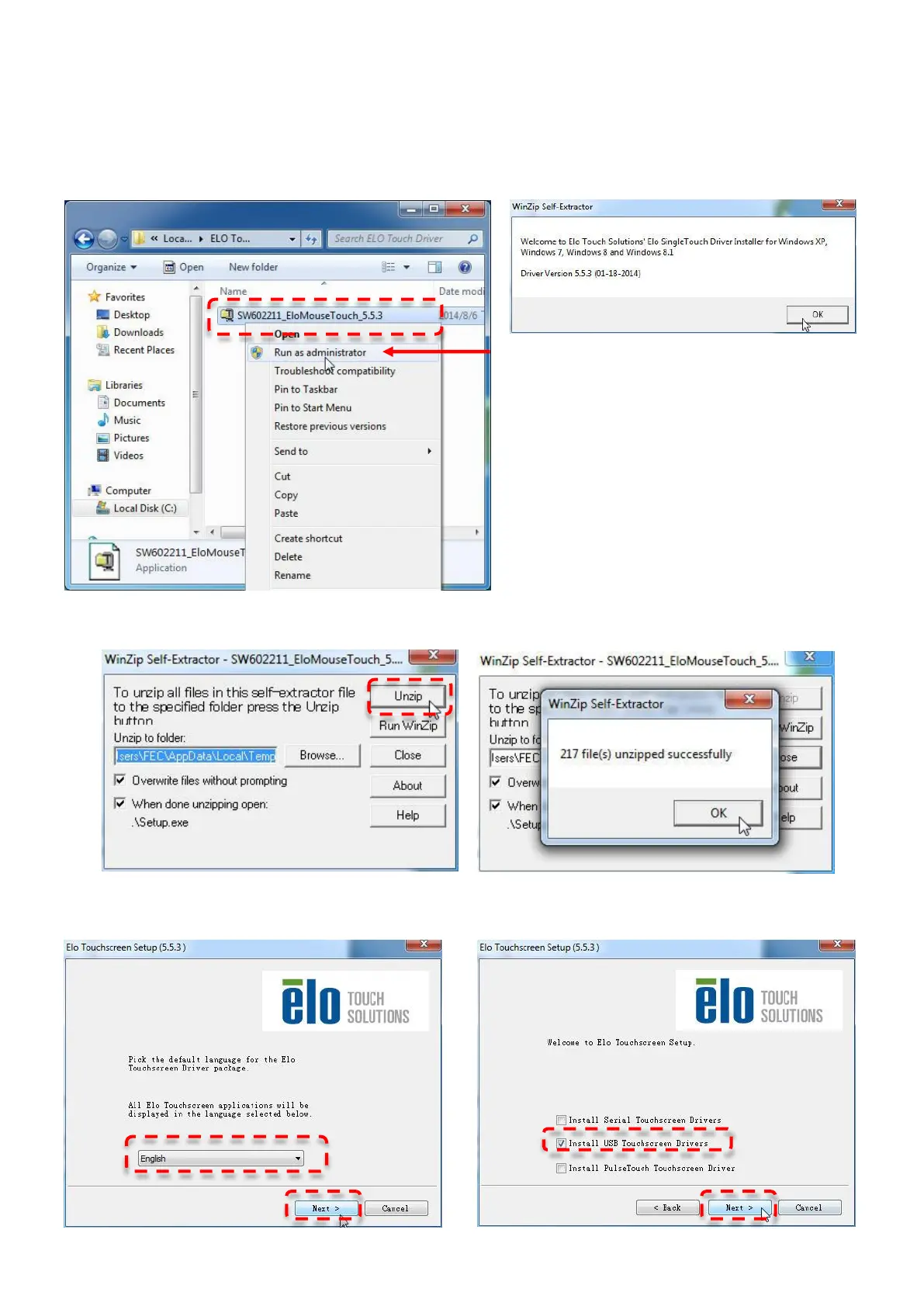
ELO Touch Tools Installation (For PP-9635B Only)
1. Right click on ELO Touch (SW602211_ELOMouseTouch_5.5.3.exe) then click RUN as
administrator
2. Click “OK” to authorize to unzip the file
3. Unzip file and start to Install USB Touch Screen Driver
4. Choose Language then click “Next”
5. Mark the box that says “Install USB Touchscreen Driver” then click “Next”



 To Next Page