Read First:
Make sure the power is off and adaptor is unplugged before moving forward
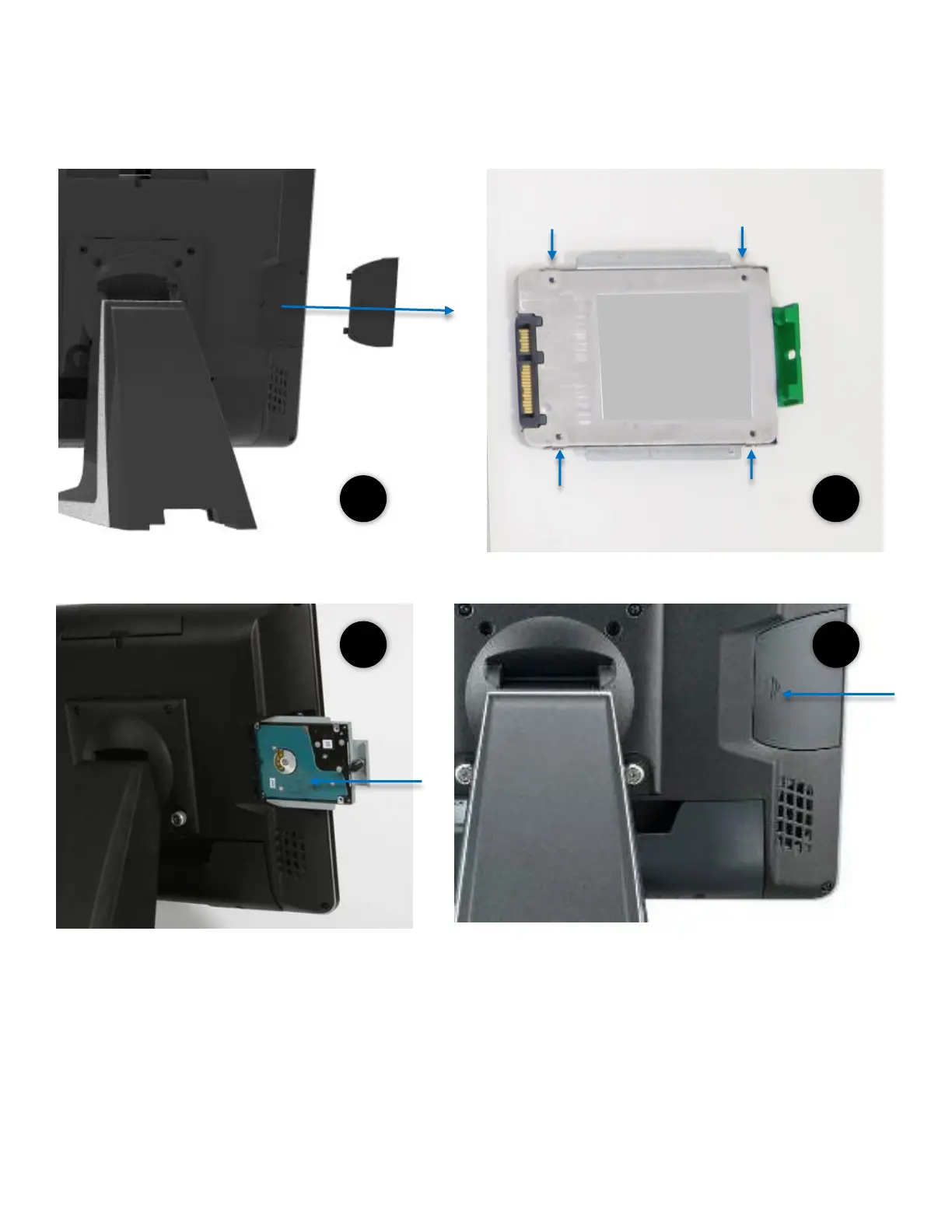
1. Remove the side cover (Part Number: RCAIOPPC1845)
2. Install the storage device to the bracket using 4 screws (Part Number: RBAIOPMC2070)
3. Slide the storage into PP-9635
Lock in storage with 1 x M3 screw
4. Replace the side cover (Part Number: RCAIOPPC1845)



 To Next Page