Installation and Settings
FEC ITALIA 15
Terminology and Tools
Smart DD: It's a proprietary port that can support two side-by-side
Smart DD monitors. It uses a USB-C connector but is NOT
backward-compatible with previous-generation USB-C (USB DP)
ports. Contact your agent for more information.
Smart DP: is a proprietary port for exclusive use by Display Smart
DP. Previous generation displays, called FEC DP, can be used on
this port; However, there will be an error in the control panel that
cannot be fixed. It won't affect its use.
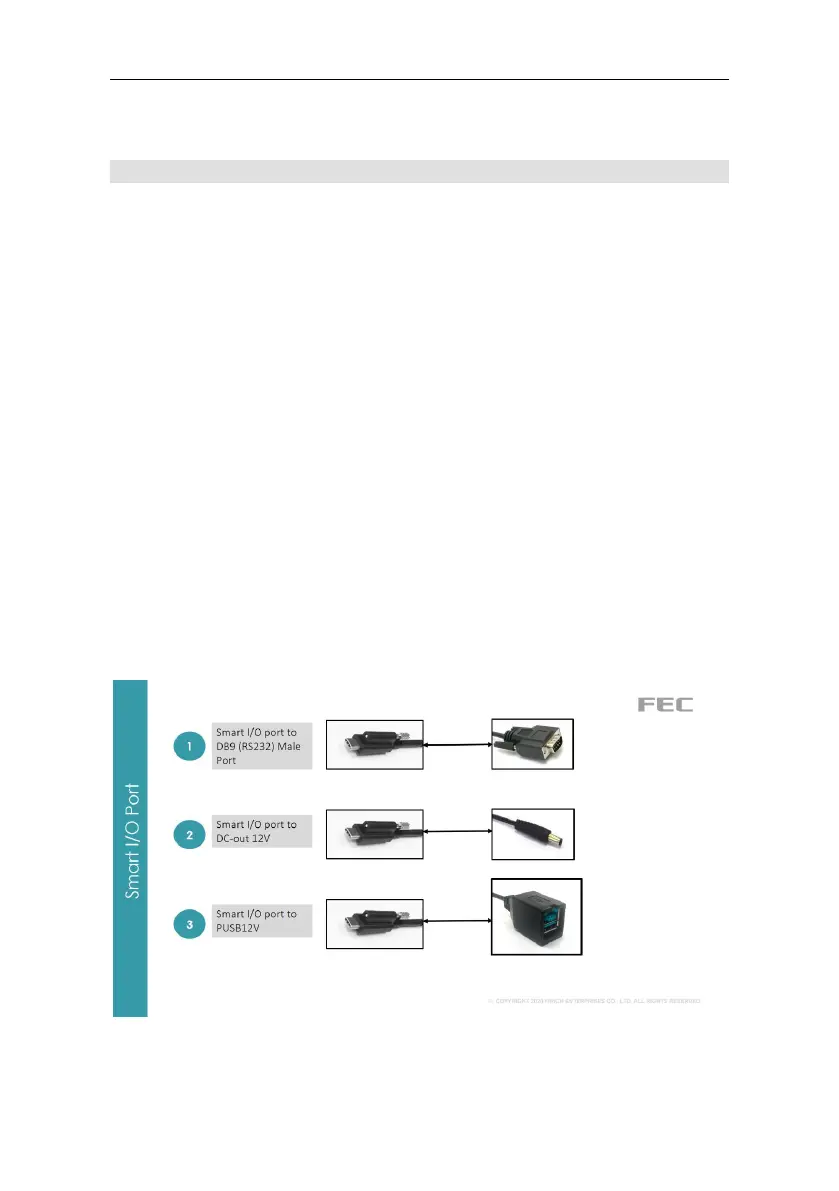
Smart I/O: It's a proprietary port that supports multiple I/O cable
expansions. The relative power supply can be set in the BIOS at
Advanced > Product Settings. By default, it is set to minimum. For
example, the default power of RJ45 at DB9 is set to RI.
Universal I/O (UIO): it's an optional port. The customer can request
it. The available ports are (1 per system):
• ①PUSB24V,
• ②PUSB12V,
• ③RJ45 (RS232) RI/5V/12V,
• ④USB 2.0 Tipo A (Doppia)
• ⑤ Da Smart I/O a USB 2.0 tipo B maschio e DC-OUT 12V



 To Next Page