Operation
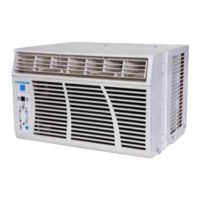
Display Contro|s
Time/°C/°F Mode Control: The display control is used to change
the current display setting.
• There are three settings on the display: Temperature in
Fahrenheit, Temperature in Celsius, andTime.
• The display will return from the timer setting to the
Fahrenheit setting after the control has not been
depressed for five seconds.
• THE TEMPERATURE SETTING ONLY SHOWS THE SET
TEMPERATURE, NOT THE ROOM TEMPERATURE,
Time/Temperature Controls: These buttons are used to change the
set temperature, the clock, start time, and stop time.
Changing the Set Temperature
Select either Fahrenheit or Celsius on the display by using
the Display Control, then change the set temperature in
increments of 1° using theTime!Temperature.
Setting the Clock
Select the time display with the Display Control and
change the clock with theTime/Temperature controls.The
time will increase or decrease in one minute increments
with each depression. If either the up or down buttons is
held down, the time will change continuously until the
button is released.The AM and PM lights will change
appropriately with the clock.
Timer Controls
TheTimer Controls can be used to set a time for the air conditioner
to start as well as a time for the air conditioner to stop.
Setting a StartTime
Press the start or stop button.The display will now show
the number of hours until the unit will automatically
start.
Use theTime/Temperature controls to adjust the number
of hours before start.The timer will be set after no
buttons have been depressed for five seconds. A light
above the start button will indicate the timer is activated.
Setting a StopTime
While the unit is running, press the stop button.The
display will now show the number of hours until the unit
will automatically stop. Use theTime/Temperature
controls to adjust the number of hours before stop.The
timer will be set after no buttons have been depressed
for five seconds. A light above the start button will
indicate the timer is activated.
Shutting theTimer Function OFF
If the Start function is set:
Press the Start button for three seconds.
The light will go off and the start function is now
deactivated.
If the Stop function is set:
Press the Stop button for three seconds. The
light will go off and the stop function is now deactivated.
Warning Lights: These lights will come on when the air
conditioner needs attention.
Clean Filter Light
This light indicates that the filter needs to be cleaned.The
air conditioner will continue to run even when the light is
on. However, the filter should be cleaned as soon as
possible after the light comes on. After cleaning the filter,
press both Time/Temperature controls simultaneously to
reset the filter monitor.
Drain Water Light
This light indicates that the internal water bucket needs
to be drained.The unit will not operate until the water
has been drained. See the next page of the owners'
manual for instructions on how to drain the water.The
air conditioner must be set to dehumidify when the
water is drained.
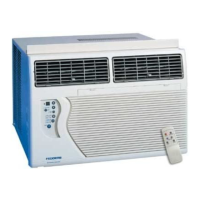
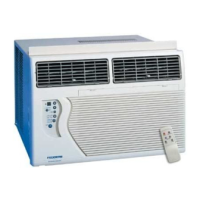
Air Conditioner Remote Control
The functions work the same as your air conditioner's touch controls,
CAUTION_
Batteries may become hot, leak, or explode due to improper
use.
. Do not install the batteries with the polarity (+/-)
reversed.
* Do not subject batteries to fire or high temperatures.
. Do not attempt to recharge, short, or disassemble.
o Tape over lithium battery contacts before disposal. Follow
local codes for battery disposal.
Keep batteries and other things that could be swallowed
away from young children.
Contact a doctor immediately if an object is swallowed.
®
On/Off Fan Spee(
®®
_iust
© ©
Displav Node
© ©
Sta_ S±Qp
Timep Timer
.L4
Batteryinstallation_ t_



 To Next Page