Note: only can import one logo picture, when import new one ,the original one will be covered.
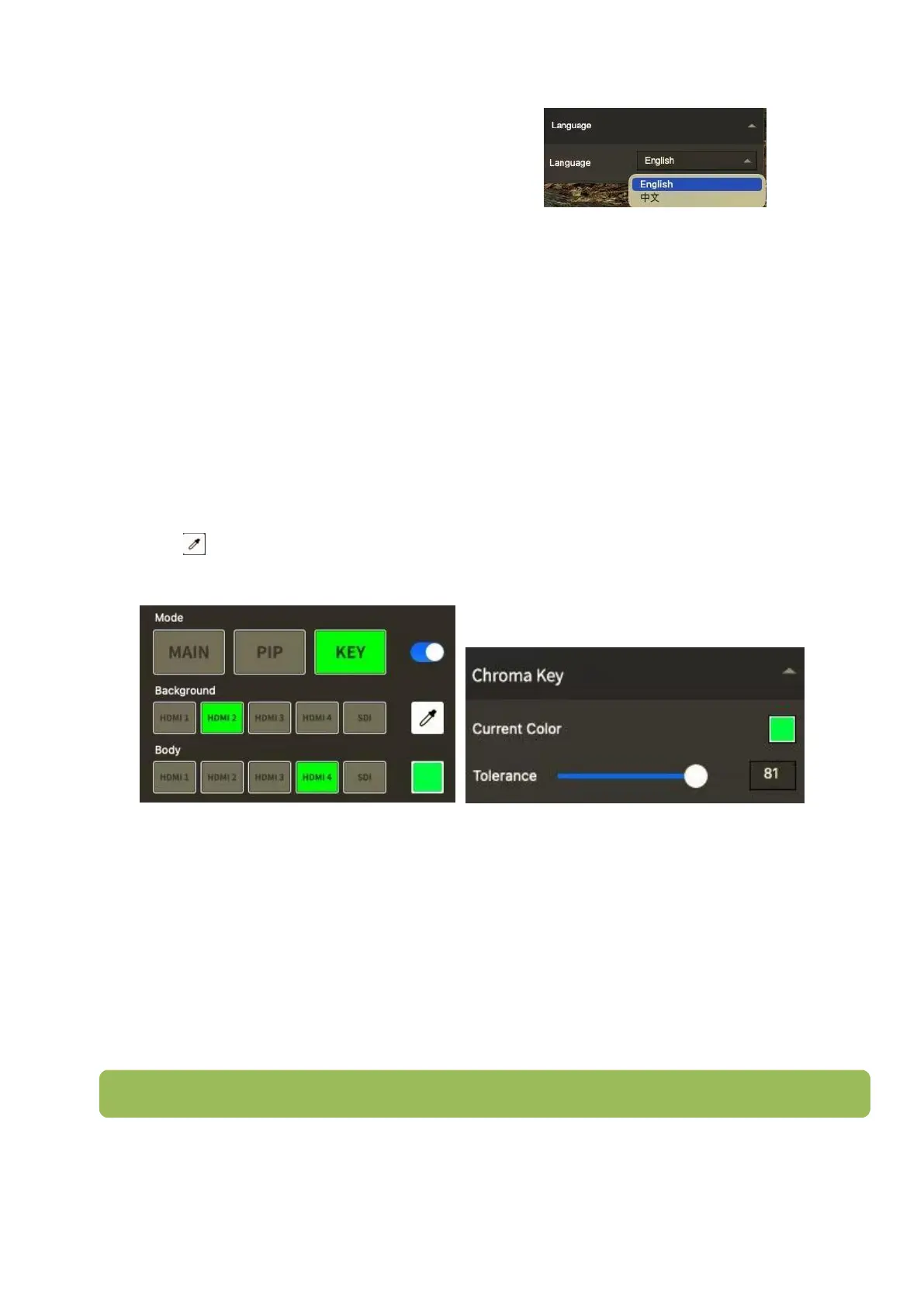
Language
There are Chinese, English for option
Factory Setting
Click 【Factory Setting】will remove all settings.
5.2.2 SW
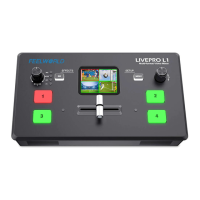
Click【SW】including Chroma Key and LOGO overlay
Chroma Key
Click KEY of【MODE】, choose the signal source of Background and Body
Click to pick color, then click KEY button
Click【SW】can adjust the Tolerance
LOGO Overlay
Click Choose Picture to choose LOGO image from your computer (size of image should be
within 256x128 pixels)
Click Import to upload the LOGO
Click the function open button after import 100%
Location: You can adjust the LOGO position
Export bin: Click it to export the LOGO to USB flash driver, then you can insert the USB flash
driver to the USB2.0 port of L4 and import the LOGO to L4.


 To Next Page