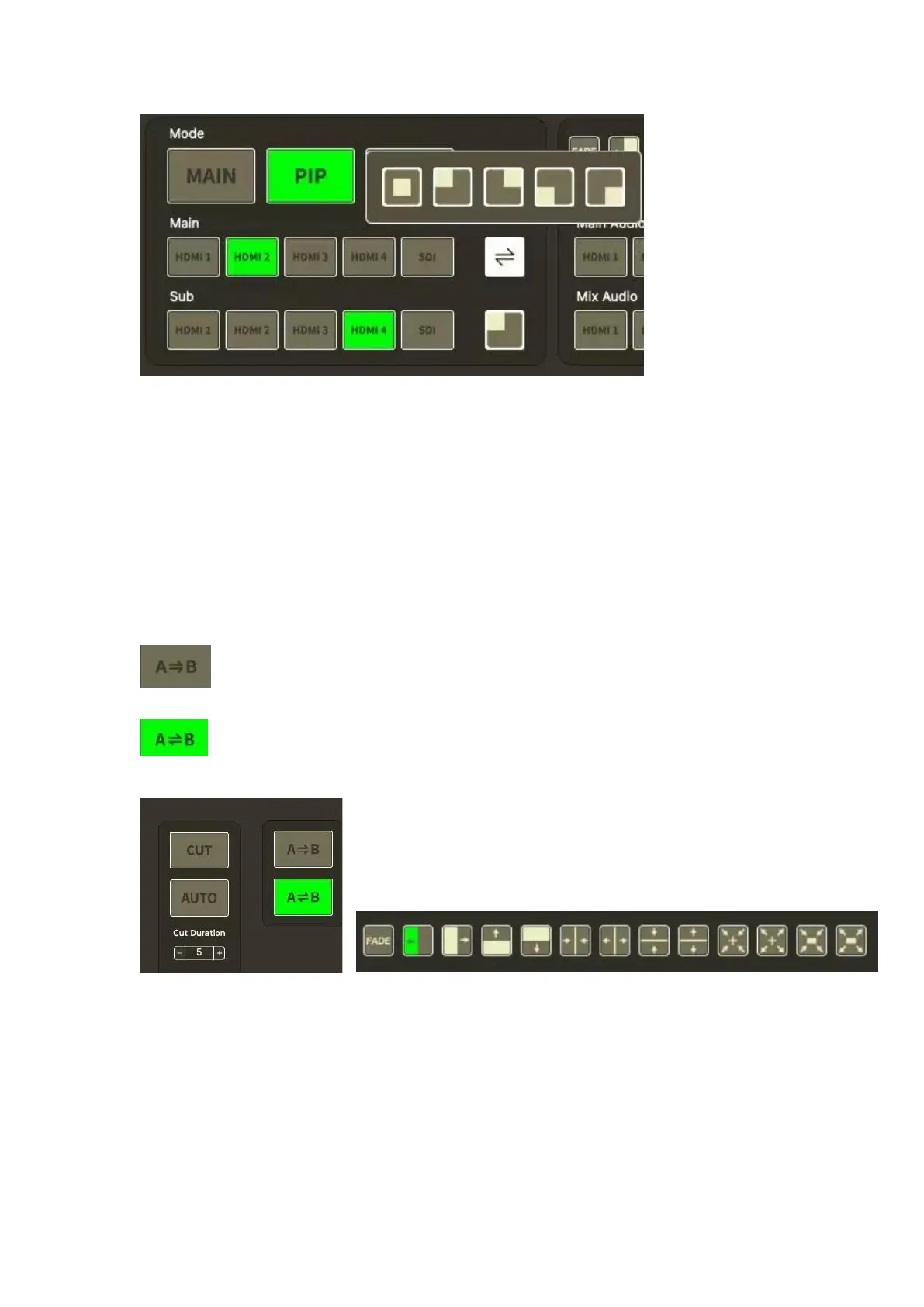
KEY
Click【KEY】,the operation same as Chroma Key of 5.2.2 SW
5.2.4 Switching
CUT: click to switch the signal PST to PGM directly
AUTO: under AUTO mode, can set Cut Duration for effect or signal source (max 5 seconds)
Note:T-BAR is for manual switching
: Indicates PST is directly switched to PGM, and after switching, the PST and PGM
screen are the same.
:Indicates that the PST picture switches to PGM, and the PGM picture returns to
PST
5.2.5 Audio
You can choose one channel from Main Audio and one channel from Mix Audio for mixing,
and can adjust the volume


 To Next Page