07
www.feiyu-tech.com
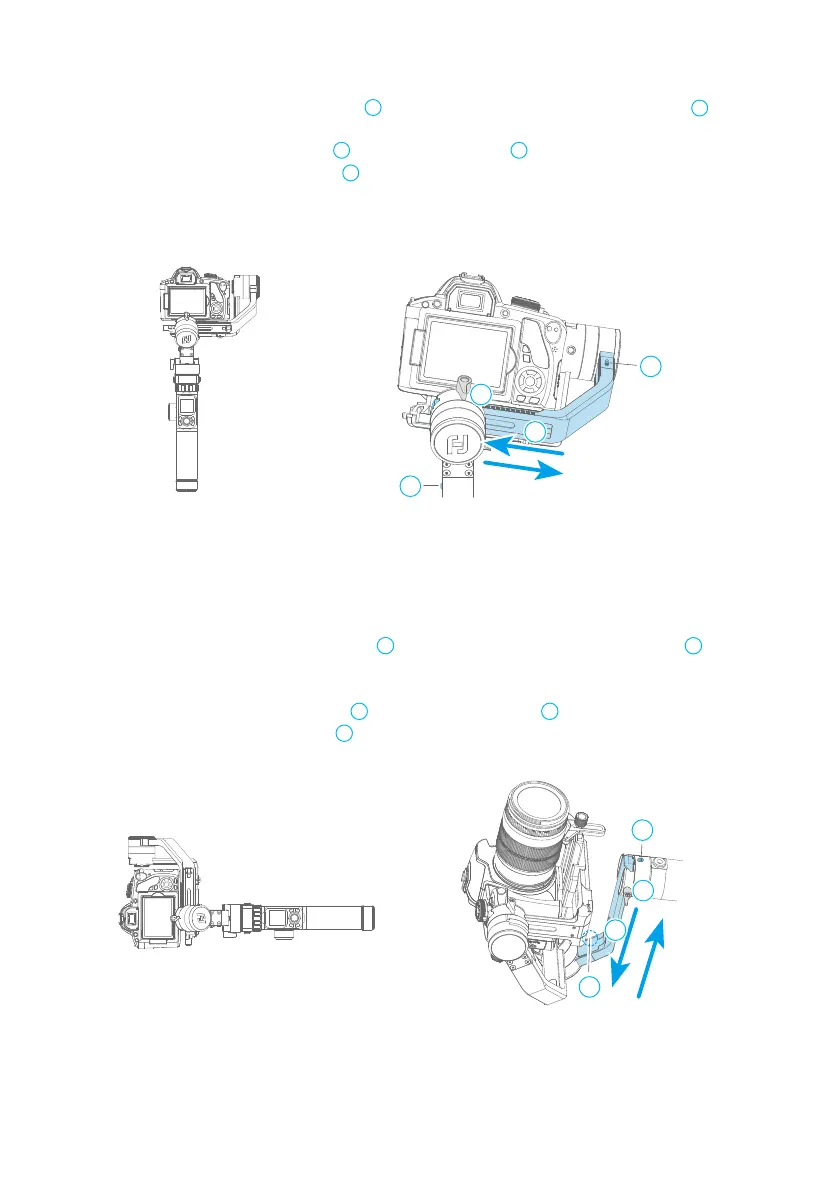
2.7.2 Balance Adjustment of the Rolling Axis
2.7.3 Balance Adjustment of the Panning Axis
1
2
4
3
2
1
3
4
a. Tighten the tilt axis positioning lock , release the roll axis positioning lock , and
check the camera tilt state.
b. Loosen the cross arm lock screw , slide the cross arm to balance the camera position.
c. Tighten the cross arm lock screw and tilt the camera to the left or right, if it stays
stable, it means balanced.
1
2
4
3
3
a. Tighten the pan axis positioning lock , loosen the pan axis positioning lock , keep
the handle part of the gimbal parallel to the ground and the vertical arm parallel to
the ground, and check the camera rotation after the releasing.
b. Loosen the vertical arm lock screw , slide the vertical arm to balance the camera position.
c. Tighten the vertical arm lock screw to rotate the pan axis to any angle, if it stays stable, it
means balanced.
1
2
4
3
3















 To Next Page