22
www.feiyu-tech.com
Payload setting
Photo spot
Settings
Wheel setting
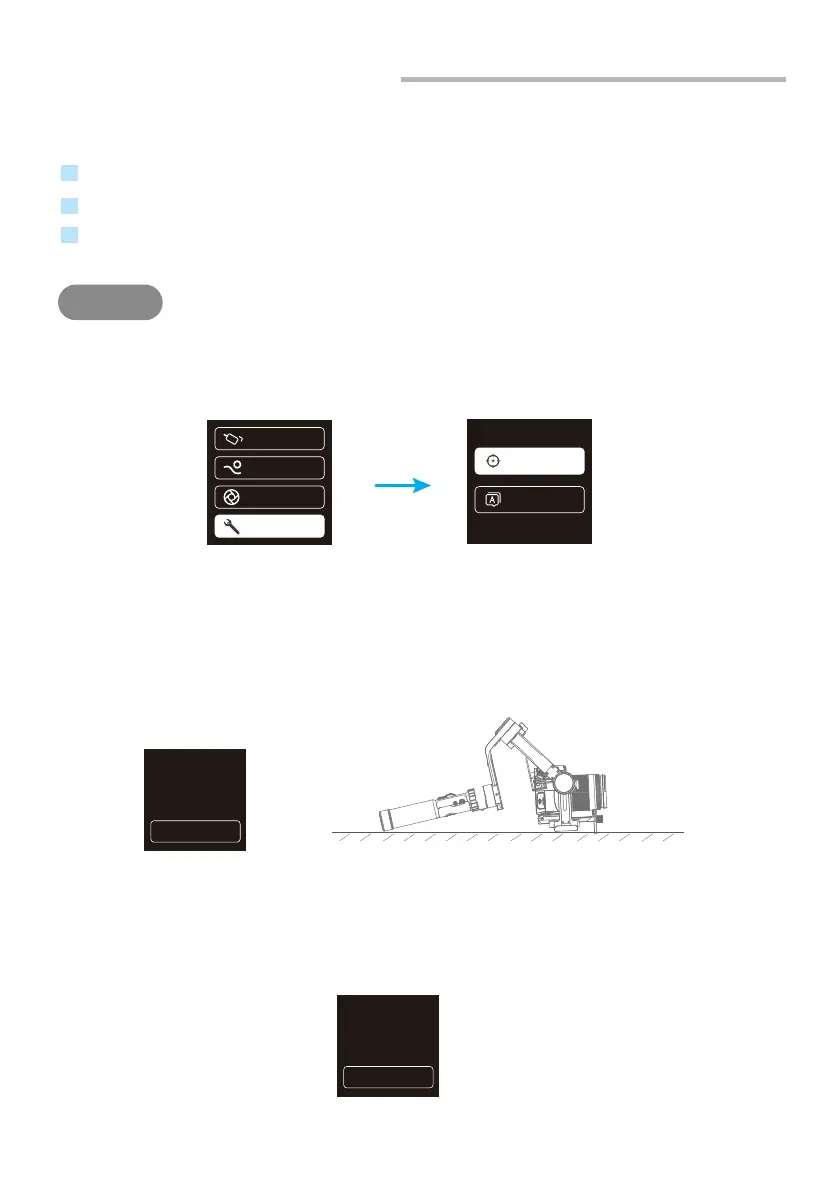
4.7 Gimbal Initialization
You can initialize your gimbal when:
When camera is not balance.
If not use for a long period of time.
In case of extreme temperature variations.
(1) Select "Settings"-"Calibration" on the display screen to enter the gimbal
initialization.
(2) Place the gimbal on the table, and the gimbal automatically initializes. If the
touch screen prompts that the calibration is successful, the initialization ends,
otherwise the initialization fails.
(3) After the initialization is successful, slide the touch screen interface to the
left/right or click the “ESC” on the screen to wake up.
2
STEPS
Calibration
Language
Calibrating
do not touch
E S C
Calibrating
completed
E S C















 To Next Page