*Please fully charge the batteries before power on the gimbal for the first time.
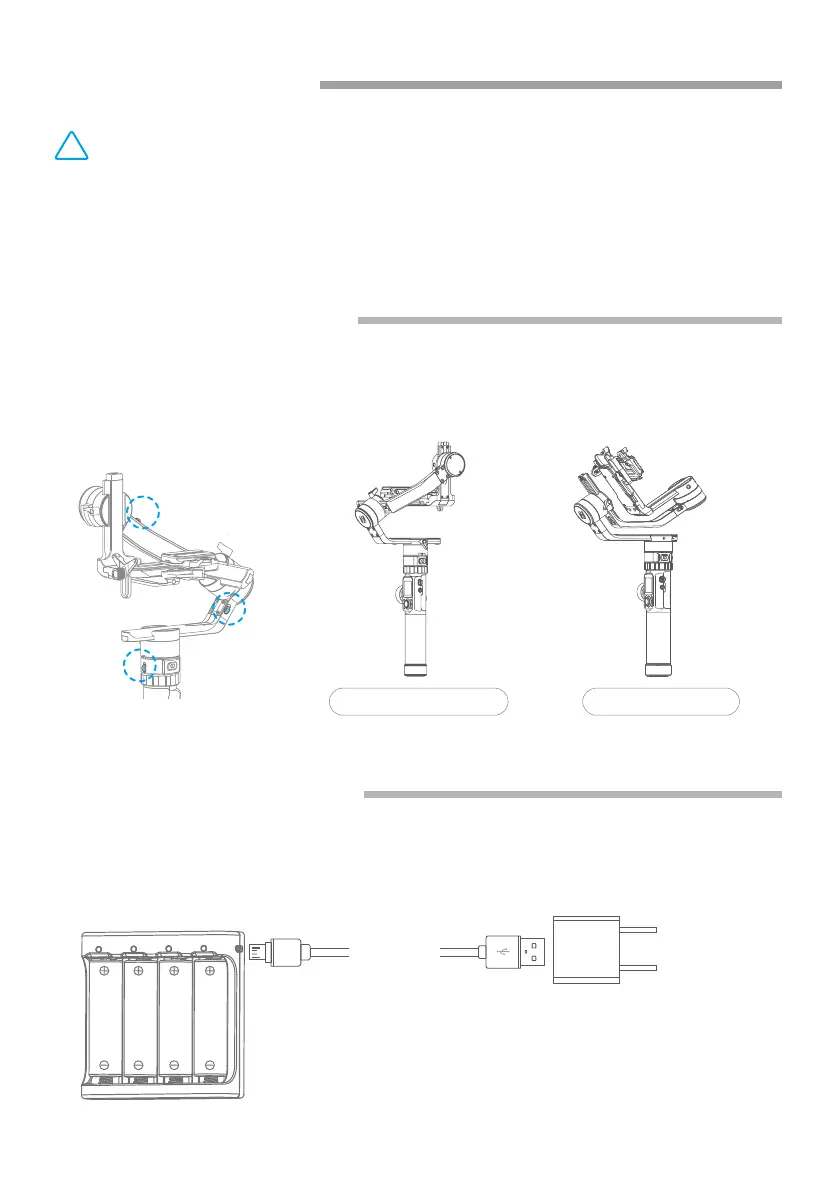
Charge the batteries with charger.
Micro USB
Cable
(not included)
5V / 3A
Balanced Lock status Stored Lock status
Each of the three rotating axis has one positioning lock for convenient lock to
balance and storage. Be sure to unlock them before using the gimbal.
2. Start to Use
!
(1) Please install the camera before power on the gimbal.
(2) When the battery is low, please charge the battery.
(3) When not in use, turn off the gimbal and then remove the batteries.
TIPS
2.2 Battery Charging
2.1 Positioning Lock
02
www.feiyu-tech.com















 To Next Page