25
www.feiyu-tech.com
5.2.1 Hyperlink Remote Controller
5.2 Standard Accessories
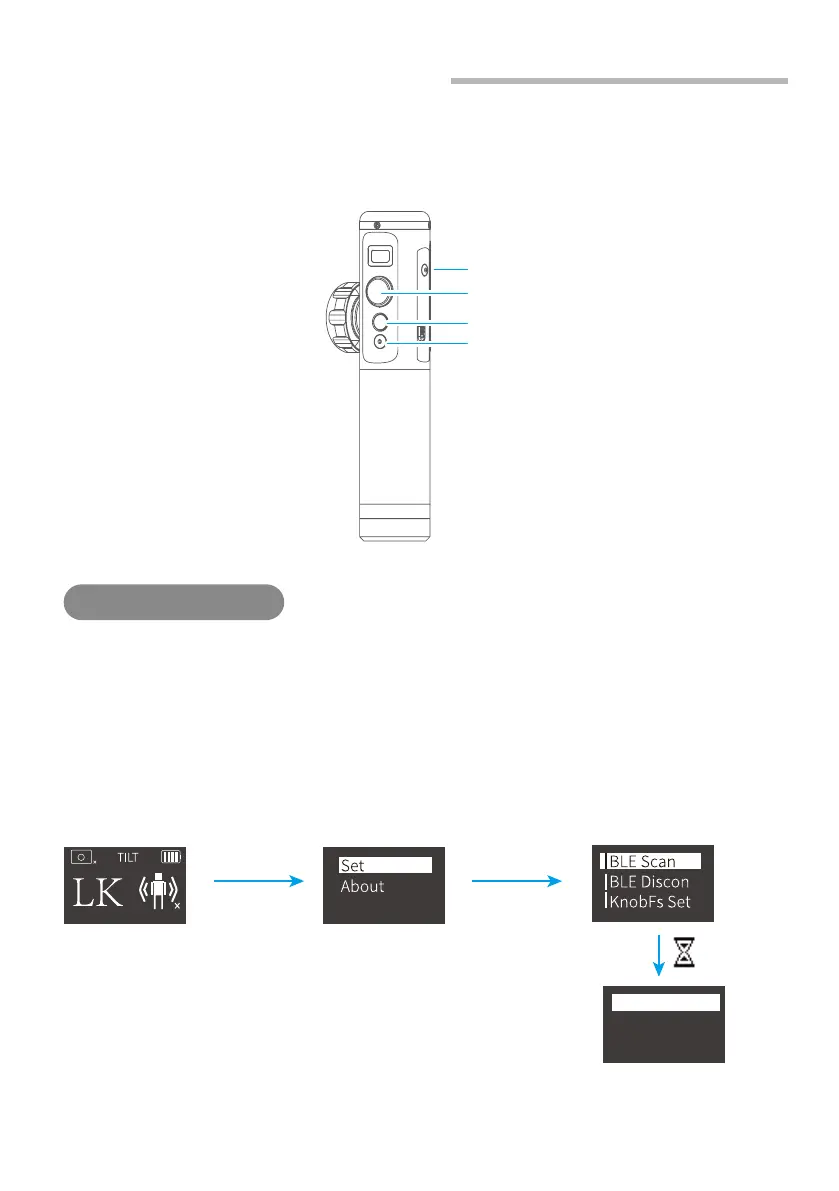
(1)Turn on AK4500 and the remote
(2)Click on remote setting button to enter menu options. Choose "BLE scan" and connect
to corresponding gimbal.
(3)After successful connection, can use control buttons of the remote to control AK4500,
or use motion sensing to control AK4500 pan/tilt movement.
Please operate on remote
Connect to gimbal
*For standard kit
For more instructions of the remote, please
check Hyperlink Remote Controller Manual.
Single click
the setting
button
Move joystick
rightwards
to confirm
Move joystick rightwards
to confirm
Setting Button
Joystick
FY_AK4500_XX
FY_AK2000_XX
Function Button
Shutter Button















 To Next Page