18
www.feiyu-tech.com
Auto-rotation
360 rotation
Selfie
Portrait
Auto-rotation
360 rotation
Selfie
Portrait
Auto-rotation
360 rotation
Selfie
Portrait
Slide to
right
Slide to
right
Please refer to the chapter "Auto-rotation Mode" in page 20
2
Time setting Route setting
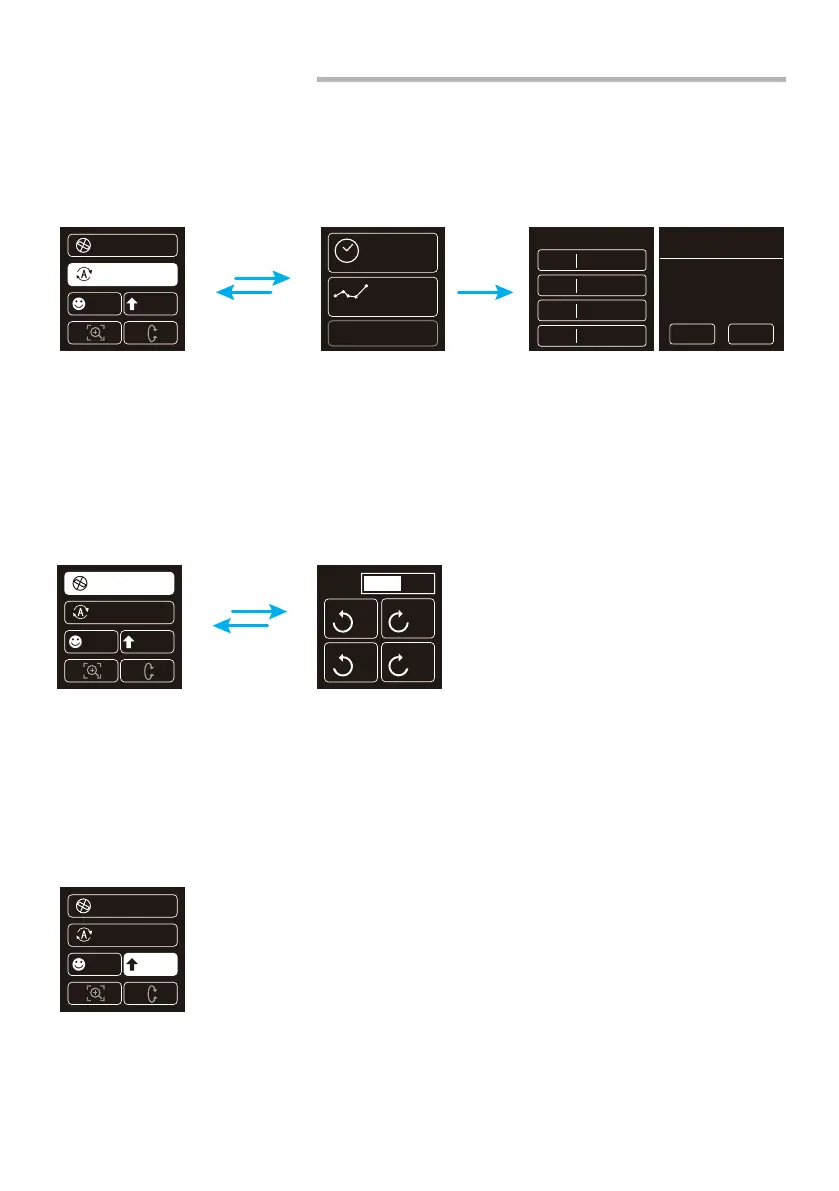
Click the "360 roration" option to enter inception mode, hold the gimbal horizontally, and
set the rotation speed/direction on screen. After choosing setting it will start automatically.
Hold the gimbal horizontally, click the "Portrait" option to enter portrait mode, the gimbal
will turn camera to portrait shooting.
4.5 Modes Setting
4.5.1 Auto-rotation mode setting
4.5.2 Inception Mode Setup
4.5.3 Portrait Shooting Mode
procedure 1
Initial
point
setting
OK ESC
Photos:
PAN 00:00:00
00000
TILT 00:00:00
INVL 00:00:00
DWELL 00:00:00
Time
Route
Use the last config
speed
X
1
X
1
X
N
X
N















 To Next Page