10
www.feiyu-tech.com
5.AK2000 Function / Operation
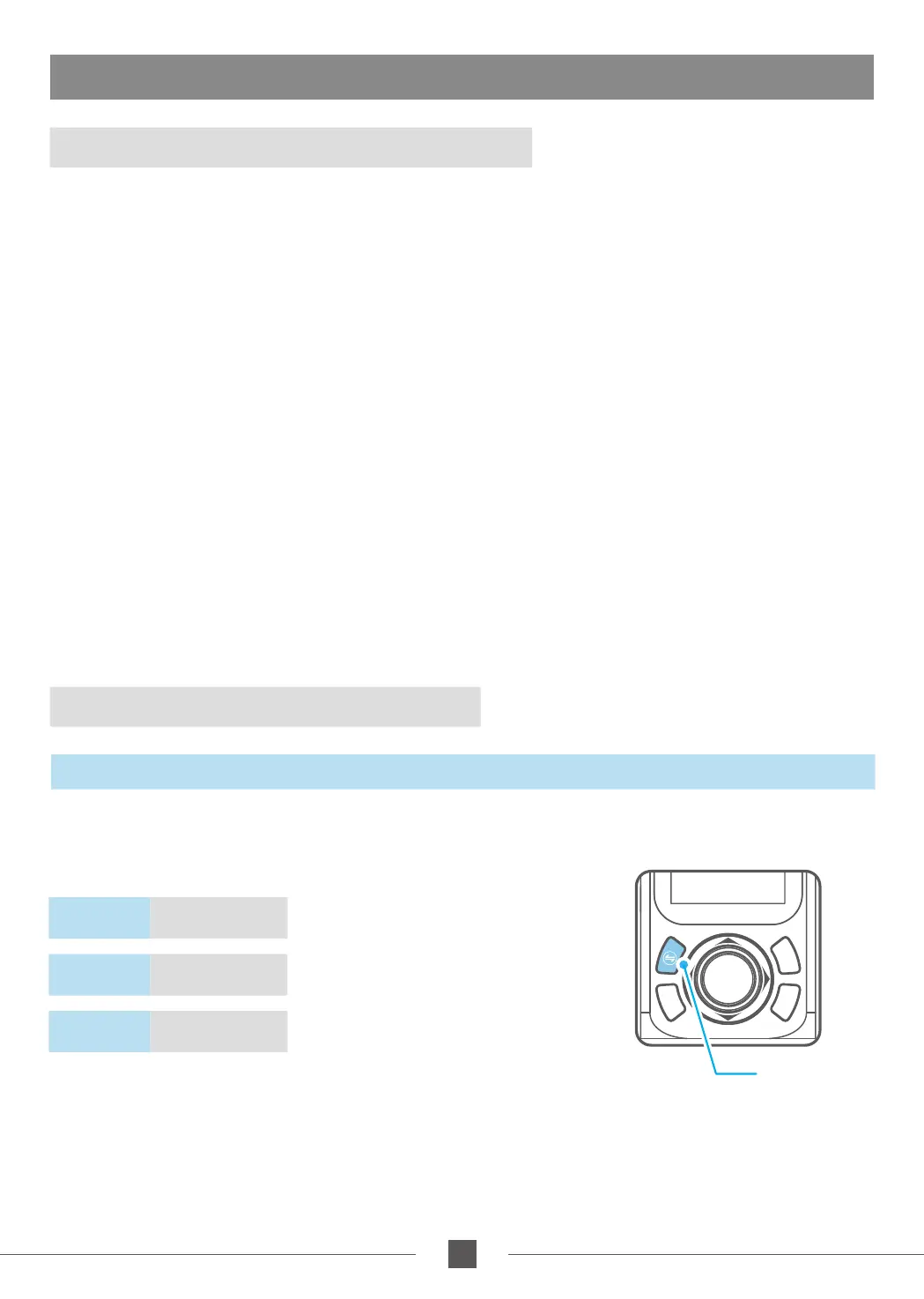
Mode Button
5.1 Introduction to functional models
5.2Handle - Function / Operation
Panning Mode(Default mode)
Follow Mode
All Follow Mode
Lock Mode
The orientation of the camera is fixed.
Reset
The roll and tilt direction are fixed, and the camera moves according to the left-right movements
of the user's hand.
The roll direction is fixed, and the camera moves according to the left-right movements, up-
down movements of the user's hand.
Rolling Follow Mode
The pan and tilt direction are fixed, and the camera moves according to the left-right
movements of the user's hand.
Return to panning mode, three axises return to default position.
The camera moves according to the user's hand.
Mode Button
Note: The firmware upgrade may occur manual operation function and the actual product features do not match.
Please find the latest manual on the official website.
Single click
Panning Mode /
Lock Mode
Double click
Follow mode
Triple click
All follow mode
Single tap to switch between panning
mode and lock mode
Under follow mode, single tap to switch to
panning mode
Enter all follow mode



 To Next Page