44
www.feiyu-tech.com
44
www.feiyu-tech.comwww.feiyu-tech.com
Note: make sure the camera is ready to shoot, the lens cover is removed, the battery and memory card
are loaded before installation.
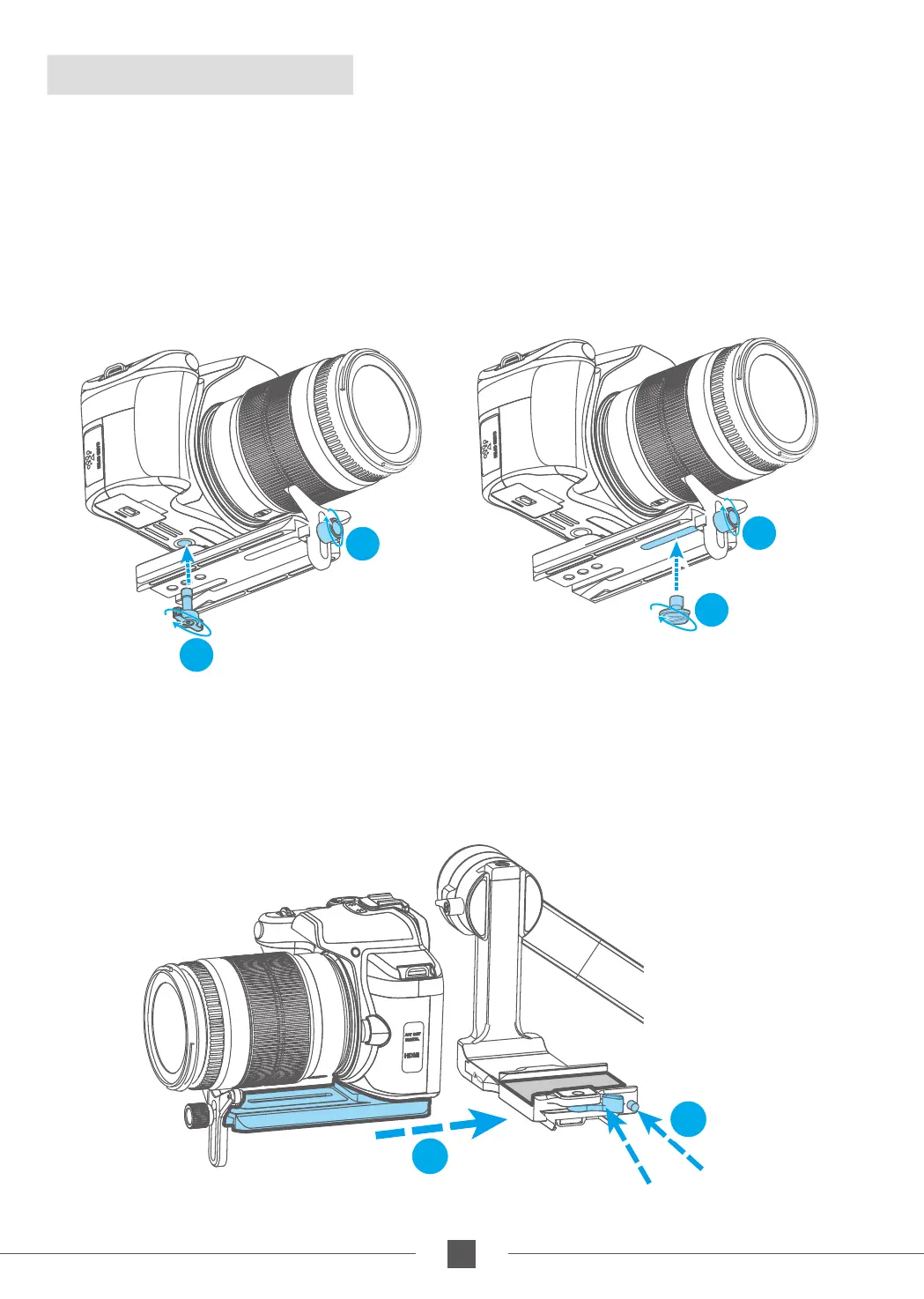
2.4 Camera Installation
Thumb Screw
(Long)
1
2
Thumb Screw
(Short)
1
2
3
4
Safety Lock
Anti-column
1. Lock the lens support frame with the screw to the quick release plate;
2. Use the thumb screw to lock the camera from the bottom slot of the quick release
plate, and slightly adjust the lens support frame after locking the camera;
(Select the long/short thumb screw according to the position of the camera to be
mounted on the quick release plate)
3. Press and hold the anti-column;
4. Place the quick release plate on the fixed plate, loosen the anti-column and tighten
the safety lock.



 To Next Page