5
www.feiyu-tech.com
3.1 Balance Adjustment of the Tilting Axis
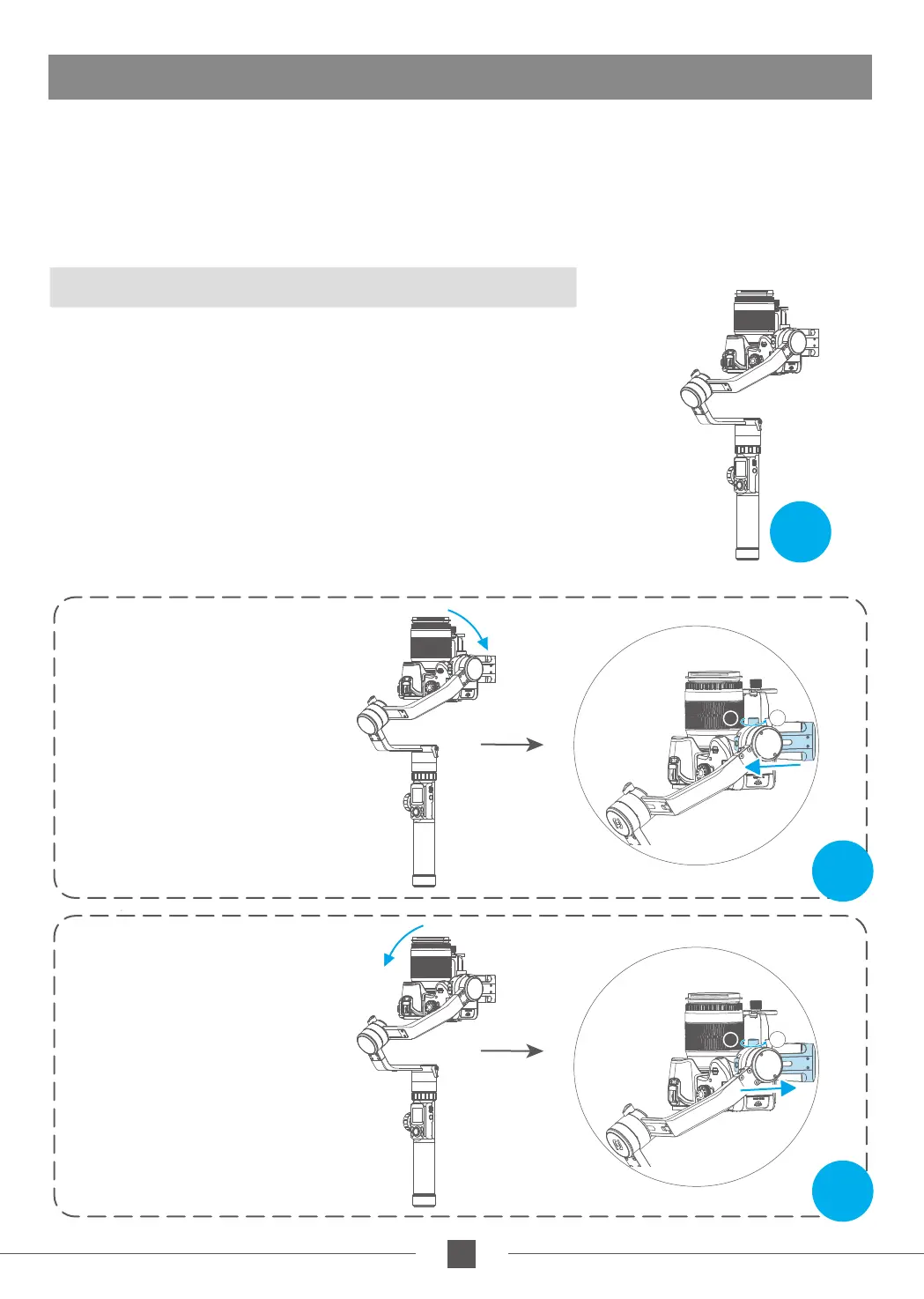
Camera right leaning,
slide to left to adjust
Camera
left leaning,
silde to right to adjust
Note:
1. Before adjusting the balance, the camera needs to remove the lens cover and insert it into the memory
card to complete all the connections to ensure that the camera is ready to shoot.
2. During the balancing process, ensure that the camera power is turned off and the stabilizer motor is
turned off. It is possible to lock each axis of the stabilizer to the installation posture to facilitate balance
adjustment.
3. Tripods can be installed (refer to 20 pages for installation) for easy balance adjustment.
Unscrew the locking screw of the tilt axis motor and adjust the balance by
adjusting the sliding arm left and right (see Figure 7, Figure 8). When the cross
arm is kept horizontal, the camera lens is placed vertically upwards and stays
in a vertical state with the ground. The sliding arm adjustment is completed,
as shown in Figure 6.
(1)Adjust the position of the camera's tilting axis up and down: Place the
camera lens upright and keep the cross arm horizontal, as shown in Figure
6. After releasing the hand, observe the camera lens rotation state.
Figure6
Figure7
3.Gimbal Balancing
Adjust the center of gravity of the camera in two steps to
the axis of rotation of the tilting axis.
* After adjustment, make sure tighten the lock screw .
T=Tight
L=Loose
T=Tight
L=Loose
Figure8
T
L
T
L



 To Next Page