1318
www.feiyu-tech.com
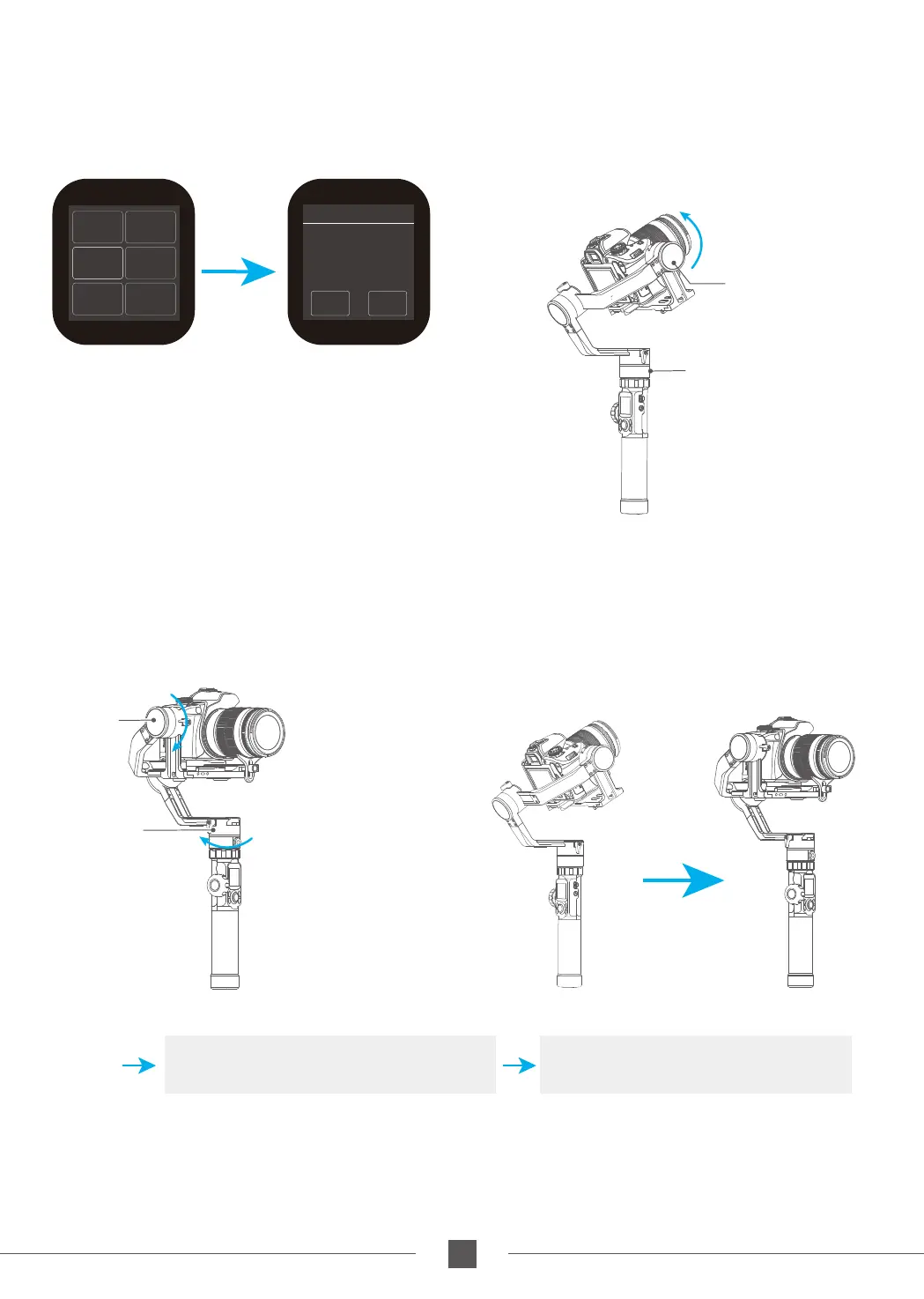
Rotate the panning axis or tilting axis to the start
position and stay for half a second, and click OK
option on the screen to record the start position.
The gimbal automatically returns to the start
position, the tilting axis and panning axis start
to rotate to the end position according to the
set parameters, and the gimbal automatically
resets after completion.
(2) Set rotation start position
(4) Start auto rotation movements
Shortcut button or click the
ESC option on the screen
Exit the auto-rotation mode and reset
Double tap
Exit
(1) Select auto-rotation to enter the auto-rotation
mode on the display interface.
Auto- rotation mode setting
Pan Axis
Tilt Axis
Rotate the panning axis or tilting axis to the end
position and stay for half a second, and click OK
option on the screen again to record the end
position.
(3) Set rotation end position
Pan Axis
Tilt Axis
Capture
Mode
Auto
Rotation
Payload
Setting
Settings
Scroll
Setting
Rotation
Time
ESCO K
Initial
point
setting
procedure 1



 To Next Page