www.feiyu-tech.com 18
Method 2:
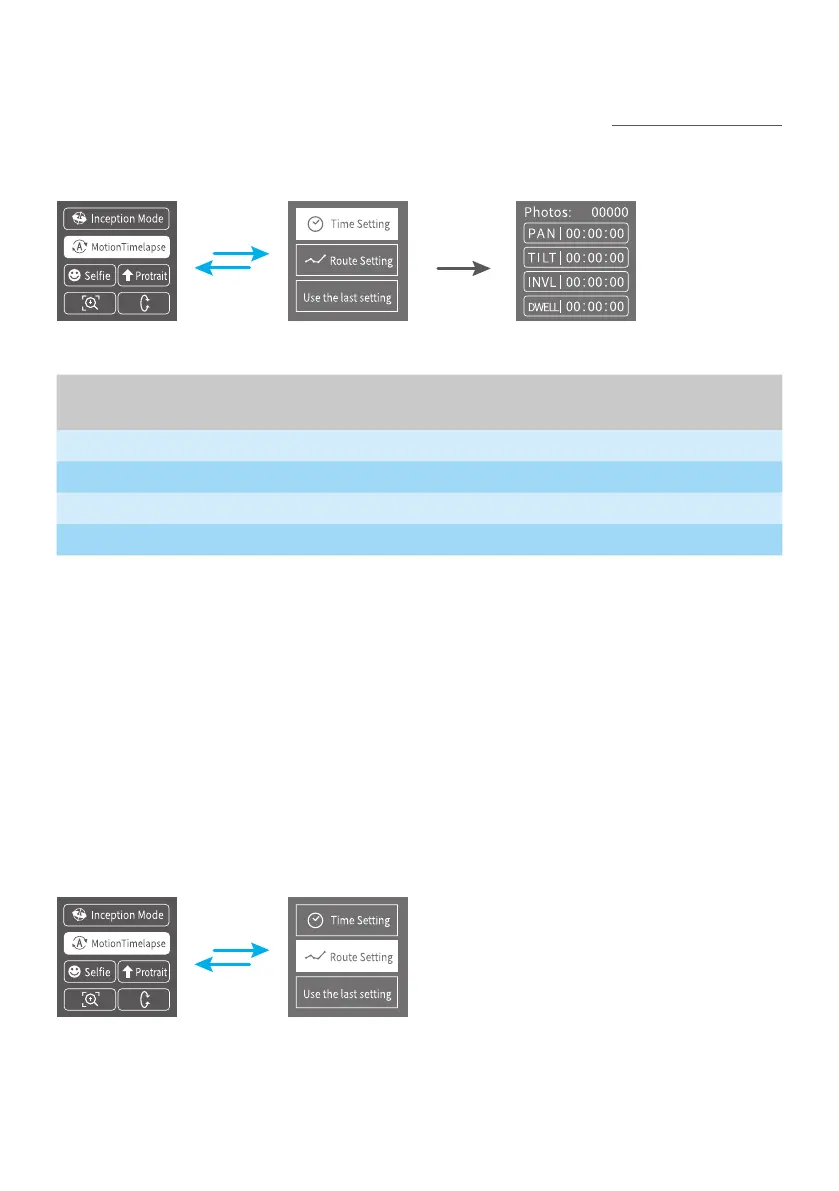
Set the Motion-timelapse mode parameters by entering the Motion Timelapse
interface on screen. Operate with joystick to set up time setting parameter on
touch screen.
Display icon Mode/Status
Minimum time
setting
Maximum time
setting
PAN (T1) Pan axis rotation period 00:00:00 07:59:59
TILT (T2) Tilt axis rotation period 00:00:00 07:59:59
INVL (t) Photographic interval 00:00:00 00:00:59
DWELL (P) Photography waiting time 00:00:00 00:00:58
PAN: Time required for the pan axis to rotate from the start point to the end point.
TILT: Time required for the tilt axis to rotate from the start point to the end point.
INVL: The time between the end of the previous shooting and the end of the next
shooting.
DWELL: Gimbal staying time after sending a photographing command for long
exposure.
* T1/T2 > t > P
3.6.2 Route setting
(1) Enter Route setting interface under Motion timelapse menu.
(2) Set the start position
Rotate the pan or tilt axis to a desired position, hold on for 0.5 seconds. Tap OK
on screen to record a start position.



 To Next Page