User Manual – FELIX Pro 1
Rev 3
www.FELIXprinters.com
support@FELIXprinters.com
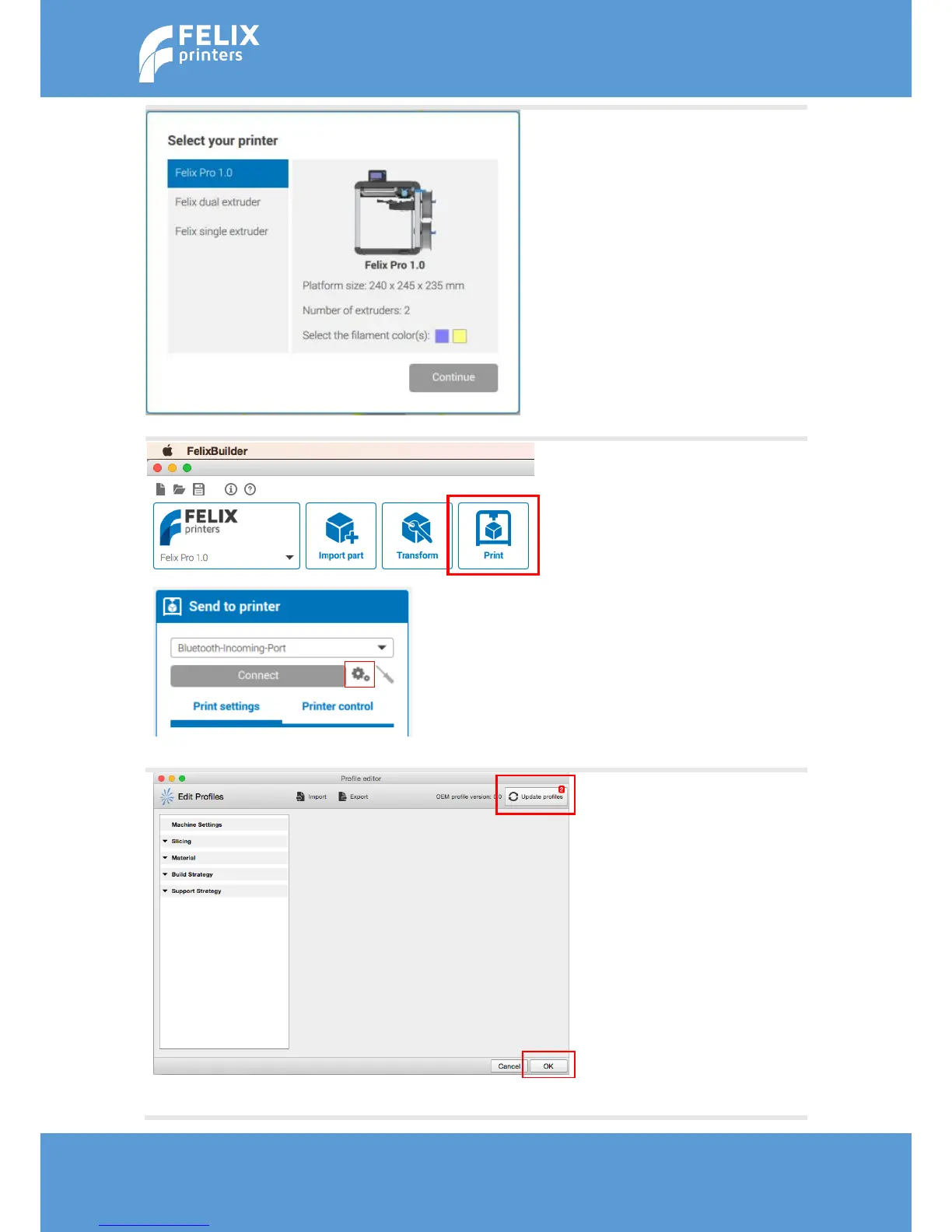
Select the FELIX Pro 1 and
press continue.
Optional: select two colors of
filament. During the
preparation of multiple STL
files it helps you to determine
which object is printed with
which nozzle.
1. Click on Print
2. Click on ‘Edit Profiles’.
This will open the Profile
Editor screen.
After a new install there
should be no profiles present.
If there are profiles from a
previous installation, please
delete the existing profiles, to
make sure you start with a
clean slate.
1. To update the machine
settings and the latest
filament settings, click on
the ‘Update profiles’
button.
2. When the profiles are
updated, click OK.



 To Next Page