User Manual – FELIX Pro 1
Rev 3
www.FELIXprinters.com
support@FELIXprinters.com
9.1 FELIXbuilder
Supplied with the printer we offer a year license of the FELIXbuilder 3D printer software. The function of
the software is to control the printer and to prepare 3D CAD files for printing this is called slicing.
This chapter will guide you through the installation process and to start your first print. The complete
manual of the software can be found on the SD card and also on our website. The software is available for
MS windows and Mac OS.
9.1.1 FELIXBUILDER FOR WINDOWS
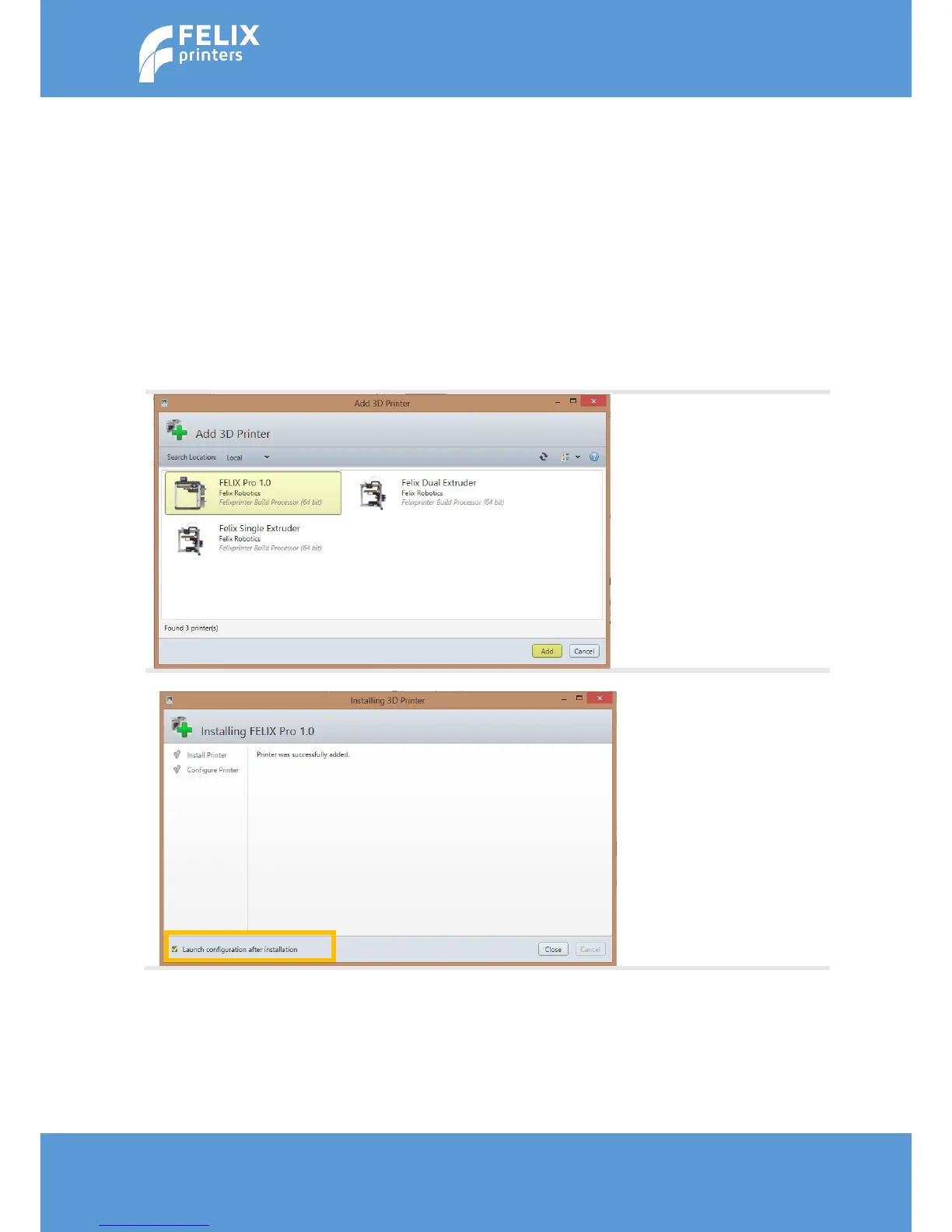
Run the FELIXbuilder.exe file and follow instructions. After installation the software will ask to add a
printer. Select yes and the screen below will pop up.
Select the FELIX Pro 1.0 and
press the Add button.
After the software installed
the printer. The following
screen should be shown. In
the left bottom corner make
sure the “launch
configuration after
installation” is selected. And
press the “Close” button.



 To Next Page