EasyManua.ls Logo

FELIXprinters Felix Pro 1 - Page 23

FELIXprinters Felix Pro 1
66 pages
Print Icon
To Next Page IconTo Next Page
To Previous Page IconTo Previous Page
Loading...
Page | 23
User Manual FELIX Pro 1
Rev 3
www.FELIXprinters.com
support@FELIXprinters.com
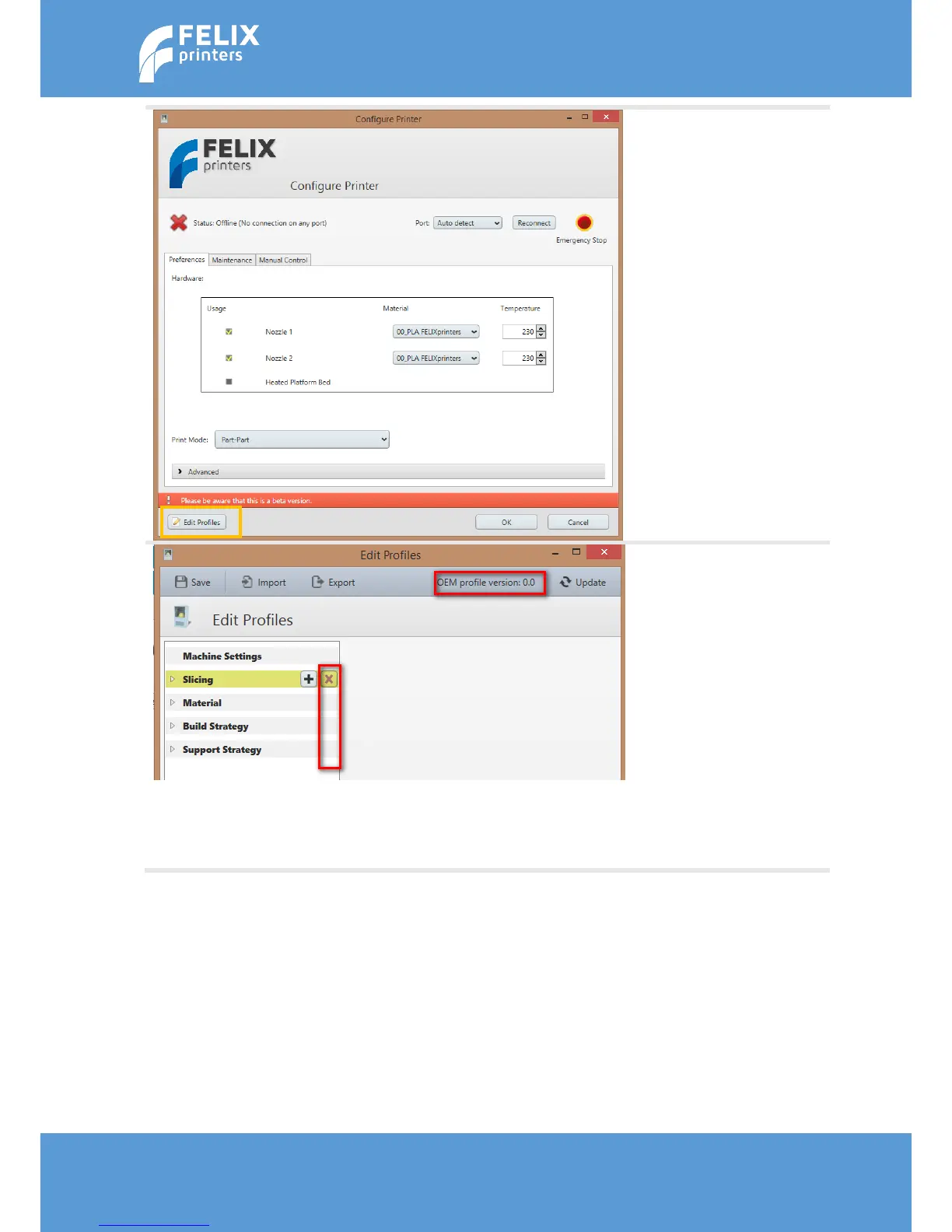
Go to the edit profiles menu.
To make sure you have the
latest updated slicing
profiles.
The OEM profiles should
indicate version 0.0
After a new install there
should be no profiles
present. If there are profiles
from a previous installation,
please delete the existing
profiles, to make sure you
start with a clean slate. Press
the red X button behind the
shown fields.
Now update the profiles with
the Update button.