User Manual – FELIX Pro 1
Rev 3
www.FELIXprinters.com
support@FELIXprinters.com
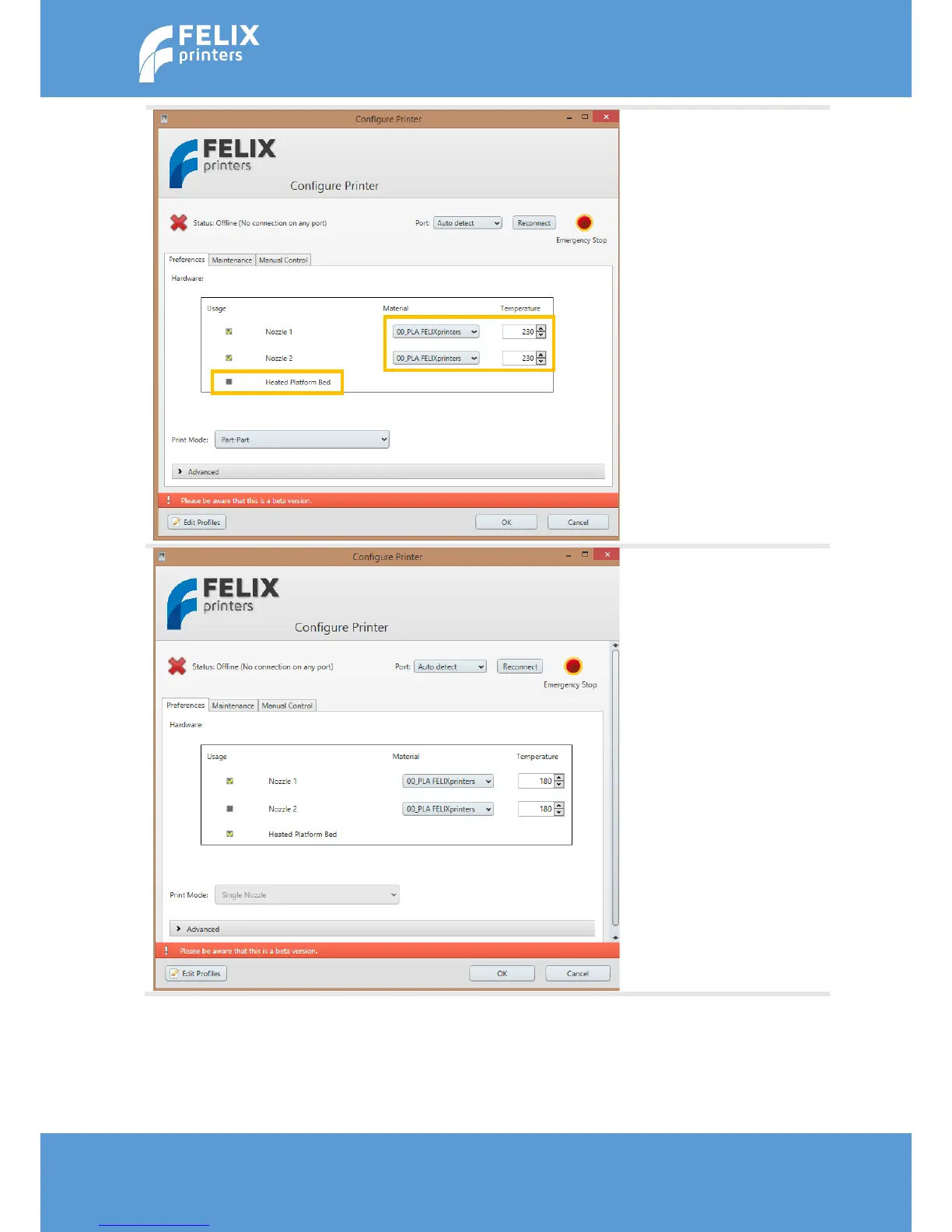
When the configuration screen
launches for the first time, the
configuration on the left should
be shown. This should be
changed for the first print.
Note the temperatures and the
build platform selection.
Make sure the configuration
matches the left picture.
Important is:
- Make sure the heated bed
is enabled.
- Disable the 2
nd
nozzle. For
our first printable object
we will print single head.
- Make sure the
temperatures show 180 °C
when PLA is selected!!
Then press OK



 To Next Page